
Introduction
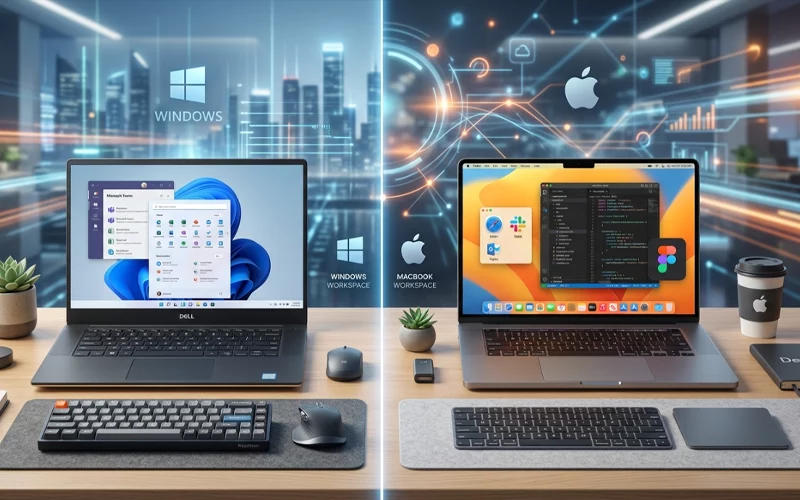
When people search for windows vs mac, they usually want a simple answer: which one is better for daily use, work, study, gaming, or creative tasks? The truth is that both are strong choices, but they solve different problems in different ways. In 2026, the decision is less about which system is “perfect” and more about which one fits your budget, your workflow, and the devices you already use. Windows remains the most widely used desktop operating system worldwide, while macOS stays a much smaller but very popular choice for people who want a tight hardware-and-software experience.
A good windows vs mac comparison should not be based only on brand loyalty. It should look at real things like speed, software support, keyboard layout, price, upgrade flexibility, and how each system handles work tools such as Excel, editing apps, and programming software. It should also compare Windows with Mac in the context of Linux, because many tech users do not choose only one of these systems—they compare all three together.
What Windows and Mac Mean in 2026
Windows is still the most common desktop platform, and Microsoft continues to push Windows 11 as the main modern version. Microsoft says Windows 11 is designed to keep devices secure and efficient, and it also notes that most applications, devices, and accessories that worked with Windows 10 are compatible with Windows 11. Windows 11 requires certain system specifications to run properly, such as TPM 2.0 support along with compatible graphics hardware and display capabilities.
Mac computers are now built around Apple silicon on most modern models, and Apple says the transition from Intel processors began in late 2020. Apple also highlights that Macs can be updated to the newest version of macOS for the latest features and security, and its ecosystem tools like Continuity and Continuity Camera are designed to make Mac work smoothly with iPhone and iPad. That strong device connection is one of the biggest reasons many people choose Mac over Windows.
Performance and Everyday Use
In real life, both systems can feel fast, but they feel fast in different ways. Windows gives you a very wide range of choices, from budget laptops to powerful gaming PCs and workstation machines. That flexibility is one of its biggest strengths, because you can choose a machine that matches your exact needs and your exact budget. Mac, on the other hand, is built around a narrower hardware lineup, and Apple promotes that lineup as “supercharged by Apple silicon,” which helps create a more controlled and consistent experience across its devices.
For simple tasks like browsing, writing, watching videos, and managing files, both platforms are more than good enough. The better choice usually comes down to the kind of feel you want. Windows often feels open and adjustable, while Mac often feels polished and uniform. That is why the windows vs mac os comparison is not just about speed. It is also about comfort, design, and how much control you want over the system.
Price and Upgrade Flexibility
Price is one of the biggest reasons people search for windows vs mac laptop. Windows laptops exist in every price range, and that makes them easier to buy for students, families, and first-time buyers. You can get a basic Windows machine cheaply, or you can spend much more on a premium model with stronger graphics, a better display, and more memory. That wide range is one of the strongest reasons Windows dominates the desktop market.
Macs are usually more expensive at the entry level, but Apple positions them as premium machines with a long support life and a close connection to the rest of the Apple ecosystem. Apple’s store also makes it easy to compare models and buy refurbished devices, which can make the Mac purchase slightly easier for people who want to save money without leaving the ecosystem completely. However, the initial price of a Mac is generally higher compared to a standard Windows laptop that offers similar basic specifications.
Keyboard Layout Comparison
The windows vs mac keyboard layout difference is one of the first things users notice when switching systems. Windows keyboards usually center around keys like Ctrl, Alt, and the Windows key, while Mac keyboards use Command, Option, and Control. Apple explains that Mac shortcuts are built around the Command key, and Microsoft documents Windows shortcuts around the Windows key and Ctrl-based combinations. If you move from one system to the other, the biggest learning curve is usually not typing itself, but learning which key replaces which shortcut.
This matters a lot in daily work. Copy, paste, switch windows, search, and save all happen with shortcuts, so a new keyboard layout can affect speed for a while. After the learning stage, most people adapt quickly, but many still prefer the layout they used first. That is why the windows vs mac keyboard topic is not minor—it affects real productivity every day.
Programming and Development
For programming, both Windows and Mac are strong, but they serve different kinds of developers. Windows is common in business environments and is backed by a huge software ecosystem. Mac is popular with many developers because it combines a Unix-style foundation with Apple’s polished hardware and software stack. Apple also continues to promote macOS development tools and native performance on Apple silicon, which matters for modern app and game development.
Video Editing and Audio Production
Windows is also excellent for editing, especially if you want more hardware variety or a machine with a strong dedicated GPU. Many editing users choose Windows because they can build or buy a system with more upgrade options. For music production, both platforms can be very good, but the key factor is usually software compatibility, audio interface support, and the exact plugins you need. In practice, the best system is the one that runs your studio tools smoothly and matches your budget.
Excel Windows vs Mac
The excel windows vs mac search is important because many people use Excel at work every day. Microsoft offers Excel for both Windows and Mac, and the company has continued to bring major features to both versions. Microsoft’s documentation shows shared modern functions and capabilities across Excel 2024 for Windows and Mac, and Microsoft also notes that Excel for Mac includes tools like Power Query in supported versions.
This means the old idea that “Mac cannot do serious spreadsheet work” is no longer true. The real difference is that Windows still tends to be the default business platform in many workplaces, so some companies build their processes around Windows first. Mac can still handle advanced spreadsheet work, but in some organizations, Windows remains the safer choice simply because of company standards and existing setups. That is why windows vs mac os comparison in office work often ends with Windows winning on workplace compatibility, while Mac wins on user comfort for many individuals.
Desktop Systems Comparison
When people compare windows vs mac desktop, they are often comparing a desktop PC with an iMac or Mac mini. Windows desktops are usually better if you want to upgrade parts over time, switch graphics cards later, or build a custom machine for gaming, editing, or engineering work. Mac desktops are better if you want a cleaner, simpler setup with a highly integrated design and less maintenance. Apple’s current desktop lineup is built around Mac mini, iMac, and Mac Studio, which gives users a narrower but very focused set of options.
For many buyers, desktop choice comes down to control versus simplicity. Windows gives more control. Mac gives more consistency. If you like to tinker, build, and upgrade, Windows usually feels better. If you want a machine that arrives ready to use with a very polished interface, Mac can feel easier.
Windows, macOS, and Linux Overview
The windows vs mac vs linux comparison is useful because Linux sits in a different category. Windows and Mac are mainstream consumer systems, while Linux is often chosen by developers, engineers, servers, privacy-focused users, and people who enjoy full control. StatCounter’s April 2026 desktop data shows Windows far ahead worldwide, with macOS and Linux much smaller in share. That does not mean Linux is weak; it means Linux is more specialized and more common in technical environments than in everyday consumer use.
In a unix vs linux vs windows vs mac discussion, Mac stands out because it combines a consumer-friendly interface with Unix-style roots, while Linux gives deeper customization and Windows offers the widest general software and hardware reach. So the “best” system depends on your goal. For most general users, Windows or Mac is easier. For advanced technical control, Linux is often the favorite.
Advantages
The windows vs mac advantages are easy to understand once you compare them side by side in your mind. Windows has the advantage of variety, lower entry cost, stronger hardware choice, and broad compatibility. Mac has the advantage of a smooth ecosystem, strong device integration, consistent design, and a very polished user experience. Apple’s Continuity tools, iPhone Mirroring, and shared device features make the Mac especially attractive for people who already live inside Apple’s world.
Windows has another big advantage: it is the standard platform in many businesses, schools, and public offices. Microsoft also says most Windows 10 apps, devices, and accessories work with Windows 11, which gives users a smoother upgrade path. That broad support is one reason Windows remains the default answer for many people who want a safe and practical computer.
Everyday Usage and Popular Culture
Searches like windows vs mac meme and windows vs mac keyboard layout show that this debate is also part of internet culture. People joke about the Windows logo, the Command key, trackpads, and shortcut habits because switching systems can feel awkward at first. That humor comes from real differences in interface design, shortcut structure, and user habits. The meme side is fun, but the real-life lesson is simple: whichever system you choose, the learning curve is usually shorter when you stay consistent for a while.
Global Usage and Market Trends
The windows vs mac market share picture is very clear. StatCounter’s April 2026 data for desktop operating systems worldwide shows Windows at 63.66%, OS X at 8.19%, macOS at 4.37%, and Linux at 2.99%, with the rest shown as unknown. That market reality matters because more users usually means more software attention, more troubleshooting help, and more hardware variety.
Market share does not automatically mean quality, but it does show how the world actually uses computers. Windows is still the mainstream leader. Mac is still the premium choice for many users. Linux remains the specialist option. This is why a serious windows vs mac comparison should not ask which one is “best for everyone.” It should ask which one is best for your type of work, your budget, and your existing devices.
Frequently Asked Questions (FAQs)
Which is better for everyday use, a Windows laptop or a Mac?
Both are good for daily tasks like browsing, writing, watching videos, and online work. Windows offers more budget options and device variety, while Mac provides a smoother and more unified experience. The better choice depends on your budget and comfort with the system.
Can I use Microsoft Office on both systems without issues?
Yes, Microsoft Office works on both Windows and Mac. Word, Excel, and PowerPoint are available on both platforms, and most users can perform normal and advanced tasks without major differences.
Which system is better for gaming?
Windows is generally better for gaming because it supports more games, gaming hardware, and graphics cards. Mac has limited gaming support, especially for high-end or latest AAA titles.
Is it difficult to switch from one system to another?
There is a learning curve when switching, especially for keyboard shortcuts and interface layout. However, most users adapt within a few days or weeks with regular use.
Which one is better for video editing and creative work?
Both systems can handle video editing and creative software. Mac is often preferred for its smooth performance and optimized creative apps, while Windows offers more powerful hardware options at different price ranges.
Do both systems support programming and development tools?
Yes, both are widely used for programming. Windows is common in enterprise environments, while Mac is popular among developers who prefer a Unix-based system and Apple ecosystem tools.
Which system is more affordable?
Windows devices are generally more affordable because they come in a wide range of prices. Mac devices are usually more expensive but are positioned as premium products with long-term support.
Final Verdict: Which One Should You Choose?
If you want the safest all-round answer, Windows is usually better for people who need lower prices, more hardware options, more upgrade freedom, and easy compatibility with a wide range of software and accessories. It is especially strong for students, office users, gamers, and people who want a desktop or laptop they can customize later. Microsoft’s current Windows 11 documentation and compatibility notes support that practical, mainstream advantage.
If you want a smoother premium experience, Mac is usually better for people who already use iPhone or iPad, value a consistent system, and like Apple’s device ecosystem. Mac also shines for creators, professionals, and users who want a polished machine with strong integration across devices. Apple’s Mac and Continuity pages show exactly how much the company focuses on that connected experience.
So, in 2026, the answer to windows vs mac is not “one is always better.” The better choice is the one that fits your work style. Choose Windows if you want flexibility, value, and broad support. Choose Mac if you want refinement, ecosystem power, and a simpler premium experience. That is the most honest way to end the debate.
If you want to read more interesting and detailed guides, visit EmbossitWorld now. You’ll find useful Information, and a lot of practical information. Don’t miss out.





Add comment