
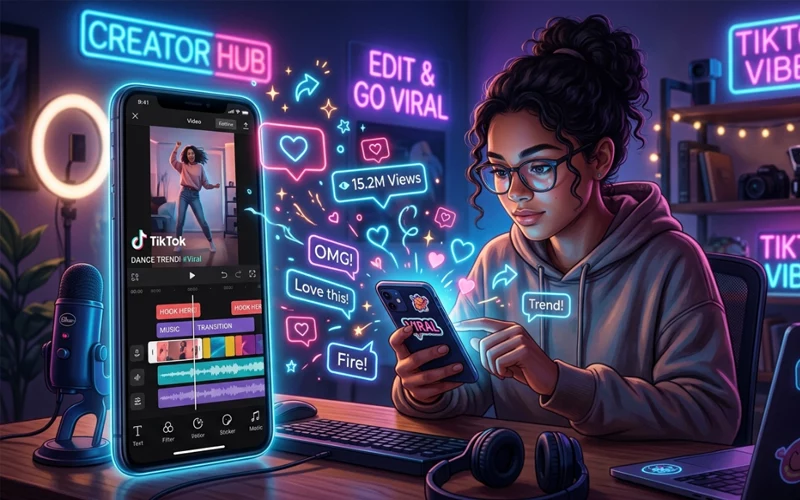
TikTok has changed the way people create and watch videos. A simple clip can turn into a viral hit if it is edited in the right way. That is why TikTok Editing Tricks are so important for creators who want more views, better watch time, and stronger engagement. Good editing is not only about making a video look beautiful. It is also about keeping people interested from the first second until the very end.
Many people think going viral on TikTok is only about luck, trends, or followers. In reality, editing plays a huge role. A clean cut, a fast hook, the right timing, smooth transitions, and clear audio can make a normal video feel much more professional. Even if you are using only your phone, you can still create content that looks sharp and attractive. That is the power of smart editing.
In this article, you will learn the most useful TikTok Editing Tricks in full easy English. You will also understand how to edit a TikTok video before posting, how to edit your TikTok videos after posting, how to edit video on TikTok from gallery, how to make a TikTok edit on phone, and how to speed up video on TikTok edit. This guide is written to help beginners as well as growing creators who want practical and simple advice they can use right away.
Why TikTok Editing Matters So Much
TikTok is a fast-scrolling platform. People decide in just a few seconds whether they want to keep watching or move on. That means your editing has to do a lot of work very quickly. If your opening is weak, viewers may leave before they even understand what the video is about. If your cuts are messy, the video may feel boring or confusing. If the sound is too loud or too low, people may stop watching too soon.
Strong editing helps you solve all of these problems. It gives your video rhythm, energy, and clarity. It also makes your content easier to understand. A creator who knows how to edit well can turn a simple idea into something exciting. This is one of the biggest reasons why some accounts grow faster than others even when they post similar content.
Editing is also important because it helps your brand look consistent. When your videos have a similar style, viewers start recognizing your content more easily. That can build trust and make people follow you more often. So, when you learn TikTok editing properly, you are not just improving one video. You are improving your whole content strategy.
Quick Look at the Most Useful TikTok Editing Tricks
Editing Trick | Why It Helps | Best For |
Strong opening hook | Stops viewers from scrolling away | All types of videos |
Shorter cuts | Keeps attention high | Fast-paced content |
Clear captions | Helps people understand without sound | Tutorials, tips, opinions |
Speed changes | Adds energy and movement | Reels, transitions, fun edits |
Gallery clips | Gives more control over content | Travel, vlog, storytelling |
Post-upload edits | Fixes small mistakes after posting | Captions, privacy, tags |
| Phone editing | Easy and fast for beginners | Daily content creation |
How to Edit a TikTok Video Before Posting
Learning how to edit a TikTok video before posting is one of the most important skills for any creator. This is the stage where you can shape the entire video before the public sees it. TikTok gives you editing tools inside the app, and these tools are enough for many creators to make good content without using outside software.
Before posting, you should first trim unnecessary parts. A lot of beginners keep too much extra footage in the final video, which makes the content feel slow. Cutting out pauses, mistakes, or long silent parts can improve the flow immediately. The video should move naturally from one moment to the next. If viewers feel there is no dead time, they are more likely to keep watching.
Another important part of pre-post editing is the sound. You should check whether your voice is clear, the background music is balanced, and the overall audio feels smooth. Many good videos lose viewers because the sound is distracting. A simple fix can make a huge difference. You should also look at the brightness, filters, and visual style. A bright and clean video usually performs better than a dark or unclear one.
Text is also useful before posting. You can add short captions to help people understand your message faster. Captions are especially helpful when your video depends on explanation, advice, or storytelling. The best captions are short, readable, and easy to follow. They should support the video, not overcrowd it.
How to Make a TikTok Edit on Phone
A lot of creators ask about how to make a TikTok edit on phone, and the good news is that you do not need expensive equipment. A phone is enough to create polished videos if you use it wisely. In fact, many successful creators do almost all of their editing on mobile because it is quick and convenient.
Start by choosing the right clips. Before editing, make sure your video has enough usable moments. Good raw footage makes the whole editing process easier. Then open your editing app or the TikTok editor and arrange the clips in the right order. The order matters because your story or message should make sense from start to finish.
When editing on phone, use zooms, cuts, and transitions carefully. Do not add too many effects just because they look exciting. A strong edit is usually simple and clean. You should also watch the pacing. If a section feels too slow, remove extra seconds. If something important feels too fast, give it more time. Good timing can turn a basic phone edit into a powerful video.
You should also save your own editing style. For example, if you often create motivation videos, you may want a bold text style and quick cuts. If you make beauty or lifestyle videos, you may want smoother transitions and soft colors. Once you develop a style, your videos will look more professional and more memorable.
Editing TikTok Videos Using Gallery Clips
Many users do not record directly inside TikTok. They first save clips in their gallery and later upload them. That is why how to edit video on TikTok from gallery is such a useful skill. This method gives you more control because your clips are already stored on your phone and can be arranged carefully before posting.
When you upload a video from the gallery, you can often choose the exact clips you want, trim them, and change the order. This is helpful for travel videos, product clips, storytelling content, and short tutorials. It also gives you the chance to keep your original footage safe while trying different edits.
Editing from gallery is also better when you want cleaner results. Sometimes the TikTok camera process is fast and may not be perfect for longer projects. With gallery clips, you can record in better lighting, retake bad shots, and then edit everything later. That gives you a more polished final video.
Another advantage of using gallery clips is that you can prepare your content in advance. This is useful if you want to post regularly. You can shoot multiple videos in a single day, then refine and edit them later, building up a ready-to-use collection of content for future posting. That makes posting easier and less stressful. For creators who want to stay consistent, this is one of the smartest TikTok Editing Tricks.
How to Edit Your TikTok Videos Description After Posting
Sometimes creators publish a video and then realize they want to change the caption. This is the point where updating your video caption after it has been posted becomes important. A description can affect how people understand your content, how they interact with it, and sometimes even how well it fits a search topic.
If your caption has a mistake, missing detail, or weak wording, changing it after posting can help. A better description can improve clarity and make the video feel more complete. For example, if your video is a tutorial, the caption should clearly say what the viewer will learn. If it is a reaction or opinion video, the caption should give enough context to spark interest.
However, you should remember that the description should still match the video itself. Do not write something misleading just to get attention. Good captions help the right audience understand your content. They should feel natural, simple, and useful. A clean description can support your video without distracting from it.
This is also a good place to include searchable words naturally. If your video is about editing, growth, or posting tips, make sure the caption says that in a clear way. That can help both viewers and the platform understand your topic better.
How to Edit Your TikTok Videos After Posting
Many creators also search for how to edit your TikTok videos after posting because mistakes happen. Maybe the cover photo is wrong, the caption needs fixing, or the privacy setting is not right. In some cases, you may not be able to fully edit the video itself, but you can still make useful changes after publishing.
After posting, you can usually update some parts like the caption, hashtags, privacy settings, or cover image depending on the platform options available at that time. These small changes may seem minor, but they can improve the video’s presentation a lot. A better caption can help with search. A clearer cover image can make people more likely to tap. A corrected privacy setting can make sure the right audience sees it.
It is always better to double-check before posting, but after posting edits can save a video from looking incomplete or unprofessional. If you notice a small issue right after publishing, act quickly and review the available edit options. That habit can help you keep your profile cleaner and more organized.
How to Speed Up Video on TikTok Edit
One of the most popular features in short-form content is speed control. Knowing how to speed up video on TikTok edit can make your content more dynamic and enjoyable. Speeding up certain parts of a video can help remove boredom, highlight action, and create a more exciting flow.
This is especially useful for cooking clips, dance videos, transformation videos, time-lapse content, and funny moments. When you speed up repetitive steps, viewers stay interested without having to watch every slow detail. This keeps the pace strong and makes the final video feel more professional.
But speed should always be used carefully. If you make the entire video too fast, viewers may get confused. The best strategy is to speed up only the parts that do not need full attention. Important moments should stay normal speed so people can understand them easily. A balanced mix of normal and fast sections usually works best.
Speed changes can also be used for style. A quick section followed by a slow emotional moment can create contrast and make the video more engaging. This kind of editing helps tell a story even in a short clip. That is why speed control is one of the smartest TikTok Editing Tricks for creators who want stronger viewer retention.
Simple Editing Habits That Improve Every Video
The best editing does not always depend on fancy effects. Often, it depends on good habits. One of the most useful habits is cutting early and cutting often. If a moment does not help the video, remove it. On TikTok, user attention is extremely limited, so every second of your video needs to add value and keep viewers interested. Another useful habit is checking your first three seconds again and again. The opening moments of a video carry the most impact and decide whether viewers will keep watching or scroll away.If the opening is weak, the rest of the edit may never get seen. Try to begin with motion, emotion, curiosity, or a clear promise. That gives people a reason to stay.
You should also check how your video sounds with headphones. Sometimes audio problems are not obvious until you listen closely. Small issues with noise, volume, or music balance can reduce the quality of the final post. Clear audio makes everything feel more trustworthy.
Finally, keep your editing style consistent but not boring. It is good to have a recognizable look, but you should still test new approaches from time to time. Over time, you will learn what your audience likes most. That learning process is part of growing on TikTok.
Common Mistakes People Make While Editing TikTok Videos
Many creators lose views because of simple editing mistakes. A frequent mistake many creators make is overusing effects in their videos.When a video is overloaded with transitions, stickers, zooms, and filters, it becomes hard to enjoy. Viewers usually prefer smooth and clear editing over noisy editing.
Another mistake is leaving the video too long. TikTok content works best when it is tight and focused. Long pauses, repeated clips, and unnecessary introductions make the video weaker. If a part of the video doesn’t contribute anything useful, it’s better to cut it out.
A third mistake is forgetting the viewer. Some people edit for themselves instead of editing for attention. On TikTok, the audience matters most. Every choice should make the video easier to watch, understand, and enjoy. That means strong pacing, clear visuals, and a simple message.
Bad captions are also a problem. If the text is too small, too fast, or too crowded, viewers may ignore it. The same is true for music that is too loud. Good editing should make the video feel comfortable, not stressful.
Frequently Asked Questions (FAQs)
1. Why do my TikTok videos not get views even after good editing?
Sometimes videos do not perform well even with good editing because the hook in the first few seconds is weak. TikTok mainly depends on watch time and audience retention. If people scroll away early, the algorithm does not push the video further. Even small adjustments such as improving the opening, refining the pacing, and making the audio clearer can significantly enhance the overall quality of the video.
2. Can I change a video after uploading it?
Once a video is posted, full editing is usually not possible. However, you can still update certain things like the caption, hashtags, cover image, or privacy settings depending on available options. If there is a serious mistake in the actual video, the only solution is usually to delete and re-upload it after fixing it.
3. What makes a video look professional on mobile editing apps?
A professional-looking video is mostly about clean cuts, good timing, and balanced audio. Overusing effects can make the video look messy. Simple transitions, stable visuals, and clear text usually create a more polished result than heavy filters or complicated edits.
4. Is it better to record inside the app or use gallery clips?
Both methods work, but gallery clips often give more control. You can shoot multiple takes, choose better lighting, and organize clips before editing. This usually results in higher-quality videos compared to quick in-app recording.
5. How long should a short-form video be for better engagement?
Short videos generally perform better when they are tight and focused. The ideal length depends on content type, but keeping unnecessary parts removed helps improve retention. If viewers stay until the end, the chances of reach increase significantly.
6. Why is the beginning of the video so important?
The first few seconds decide whether someone will continue watching or scroll away. A strong opening creates curiosity or shows immediate value. If the start is slow or unclear, most viewers will not stay long enough to see the full content.
7. Does increasing video speed help performance?
Speed adjustments can improve engagement when used correctly. Speeding up certain parts helps eliminate boredom, especially in repetitive or slow scenes. However, if the entire video is made too fast, it can become hard for viewers to follow. The most effective approach is to balance normal speed with faster sections where needed.
8. What is the biggest mistake beginners make while editing?
One of the most frequent mistakes creators make is adding too many edits, which can make the video feel cluttered and less enjoyable to watch. Too many effects, transitions, and text layers can distract viewers. Another mistake is not cutting unnecessary parts, which makes the video feel slow and unprofessional.
Final Thoughts
Mastering TikTok Editing Tricks is one of the fastest ways to improve your content quality. You do not need a studio, a big budget, or advanced tools to make better videos. You only need practice, patience, and a clear understanding of what keeps viewers interested.
When you understand the main ways of editing TikTok videos, you gain much better control over your content. It helps you shape your videos more confidently, whether you are working before posting, using your phone, or editing clips from your gallery. You also learn how to improve small details after uploading, manage your captions, and adjust video speed when needed. This overall control allows you to create content that looks cleaner, flows better, and connects more effectively with your audience.
The biggest secret is simple: make every second count. Keep your edits clean. Keep your message clear. Keep your opening strong. When you do that consistently, your videos have a much better chance of getting watched, shared, and remembered.
If you stay focused on quality and keep testing new styles, your editing skills will grow quickly. And as your editing improves, your TikTok content will start looking more professional, more interesting, and more ready for viral reach.
If you want to read more interesting and detailed guides, visit EmbossitWorld now. You’ll find useful Information, and a lot of practical information. Don’t miss out.





Add comment