
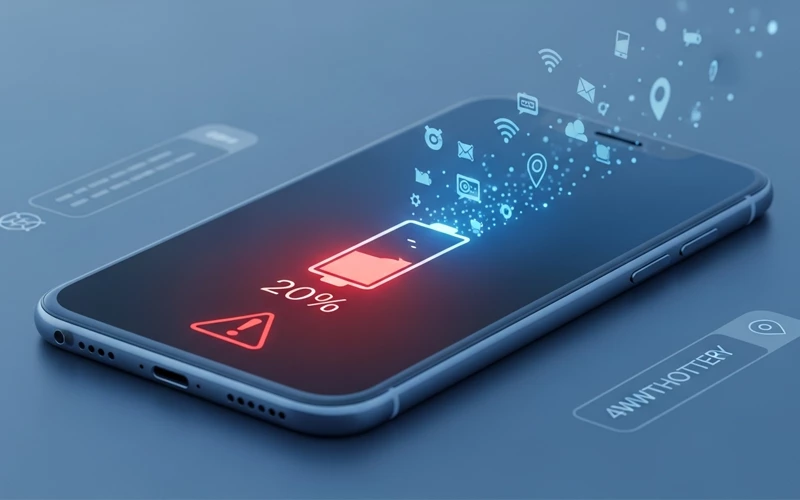
Most of the time it doesn’t even feel like a big problem at first. You pick up your phone in the morning, everything seems normal, battery is fine. But as the day goes on, you suddenly notice it dropping way faster than you expected. And the strange part is, you’re not even doing anything heavy on it. No gaming, no long videos, just normal use… yet it keeps going down. That’s when the thought hits: why is my battery draining so fast?
Honestly, there isn’t usually one clear answer to this. It’s more of a mix of small things that you don’t really notice during the day. Your phone is basically working in the background all the time now. Apps keep refreshing on their own, messages and emails are syncing, location services might be running, and even little system things keep using power without you realizing it.
And then there are habits too. Things like keeping brightness higher than needed, not closing apps properly, or just leaving everything running in the background. Over time, even the battery itself starts getting older and doesn’t hold charge like it used to.
So it’s rarely just one issue. It’s more like a combination of small everyday things that slowly add up and drain the battery without making it obvious.
How modern devices consume power in the background
Most people don’t really notice it, but a big part of your battery is actually being used in the background. Even when you’re not actively using your phone, a lot of apps are still working quietly on their own. They keep refreshing content, checking for updates, sending notifications, syncing messages, and sometimes even tracking your location. Because of that, your phone is rarely ever truly “at rest.”
Social media apps are usually the biggest reason for this. Apps like Facebook, Instagram, TikTok, and WhatsApp are designed to stay active in the background so everything feels fast and smooth when you open them. That’s why messages arrive instantly, notifications pop up right away, and your feed is already updated without any delay. It’s convenient, but the trade-off is that your battery keeps getting used even when you’re not directly using the app.
On both Android and iPhones, this background activity is mostly enabled by default so everything works properly. The problem starts when you keep installing more apps over time. Each one adds its own background processes, and you don’t really notice them running. Gradually, all of this adds up, and your battery begins to drain throughout the day—even if your phone usage feels completely normal.
Display technology and screen usage impact
Another big reason behind battery drain is the display itself. Today’s smartphones come with high-resolution screens, OLED panels, and smooth high refresh rates. These features definitely make everything look sharper and more responsive, but at the same time, they also consume more power.
If your brightness is usually set high, or you often use your phone outdoors where the screen has to work harder to stay visible, the battery naturally drains faster. Features like adaptive brightness do help adjust things automatically, but they’re not always perfectly accurate in every situation.
On modern devices like the iPhone 16 Pro Max, expected iPhone 17 models, and many premium Android phones, 120Hz or even higher refresh rate displays are now common. While they make scrolling and animations feel extremely smooth, they also put extra load on the battery compared to standard displays.
Even larger devices like iPads face the same issue. In fact, the bigger screen size requires more energy to keep everything running, especially during heavy tasks like video streaming, gaming, or multitasking. That’s why many users end up searching for why their iPad battery is draining so fast, even when their usage doesn’t feel that heavy.
Battery health and natural aging process
Every rechargeable battery has a limited life, and that’s something most people don’t really think about. Lithium-ion batteries slowly lose their capacity over time as they go through repeated charging cycles. It’s a normal chemical process, and honestly, it can’t be completely avoided.
As the battery health decreases, your phone might still show 100% charge, but the actual energy stored inside is no longer the same as it used to be. That’s why you start noticing things like faster battery drop, sudden jumps in percentage, or overall shorter usage time. This is one of the most common reasons people complain about iPhone battery draining quickly.
For example, an older iPhone might struggle to last even half a day on regular use, while a brand-new one can easily go through a full day with the same routine. The difference isn’t just about software or settings — it’s mainly due to natural battery wear and degradation over time.
Apps that silently drain energy
Some apps are more power-hungry than others. Gaming apps, navigation tools like Google Maps, streaming services like YouTube and Netflix, and social media platforms are known for heavy battery usage.
Even when not open, these apps may continue running background services. For example, location tracking, data syncing, and push notifications all require energy. This becomes a major reason behind battery draining fast iphone issues reported by users.
Poorly optimized apps can also cause excessive battery usage. Sometimes a simple update bug can make an app consume double or even triple the normal power until the issue is fixed.
Why different devices lose battery faster
Device Type | Main Cause of Drain | Severity | Explanation |
| iPhone | Background apps + iOS sync | High | Constant data refresh and system tasks |
Android phones | App permissions + services | High | Heavy background processes |
iPad | Large display + multitasking | Medium | Bigger screen uses more energy |
Apple Watch | Health tracking sensors | High | Continuous heart rate & activity tracking |
Samsung Watch | Bluetooth sync + sensors | High | Always connected to phone |
| Car battery | Electrical leakage | High | Power drains even when parked |
Location services and GPS tracking
Location services are extremely useful but also one of the biggest hidden battery drainers. Many apps request constant access to your GPS data, even when they are not actively being used.
Apps like ride-hailing services, food delivery apps, maps, and social platforms frequently track your location. This continuous GPS usage requires constant communication with satellites, which consumes significant power.
This is one of the main reasons users ask why is my phone battery draining while charging or why is my phone battery draining so fast even when idle.
System updates and software behavior
After a major software update, it’s actually pretty common for people to notice their battery draining faster than usual. This doesn’t always mean something is wrong with the phone. In most cases, the system is just busy in the background doing a lot of work like reorganizing files, indexing data, and optimizing apps so everything runs smoothly again.
For example, right after updating to a new iOS version, many users experience faster battery drain for a few days. The same thing can happen on Android devices as well, where the phone takes some time to settle after the update. During this period, things might feel slightly off in terms of performance and battery stability.
Sometimes, software updates can also include small bugs that affect battery usage more than expected. These issues usually get fixed later through another update or patch released by the manufacturer. That’s why it’s important to keep your system updated, but at the same time, it’s also normal to see temporary battery drain right after an update.
Smartwatches and wearable battery limitations
Smartwatches are built to stay connected all the time. They keep tracking things like your heart rate, steps, sleep patterns, and notifications throughout the day. This makes them really useful in daily life, but at the same time, it also means they constantly use energy.
That’s why people often search for issues like Apple Watch battery draining fast or Samsung Watch battery draining fast. Since these devices have much smaller batteries compared to smartphones, even a small amount of power usage becomes noticeable quite quickly.
Features like continuous Bluetooth connection, background fitness tracking, and constant notification syncing all work together in the background. Over time, this ongoing activity naturally leads to faster battery drain in most smartwatches.
Charging habits and energy flow issues
Improper charging habits can also have a long-term impact on your phone’s battery performance. Things like using your phone while it’s charging, relying on low-quality chargers, or constantly plugging it in for short charging sessions can slowly reduce overall battery efficiency over time.
Sometimes users notice issues like why is my phone battery draining while charging. In many cases, this happens when the phone is using more power than the charger is able to provide. For example, if you’re gaming, streaming videos, or using heavy apps while charging, the device may still lose battery or charge very slowly because of this imbalance.
Over time, these habits don’t just affect charging speed—they can also contribute to faster overall battery wear.
Car battery draining issues explained
Battery drain is not limited to smart devices. Car batteries also face similar problems. If a vehicle is not used for long periods or has faulty electrical components, the battery can drain unexpectedly.
Even when the engine is off, some systems like alarms, clocks, and sensors continue drawing power. Over time, this leads to a weak or dead battery, which is why users often search why is my car battery draining so fast.
Advanced devices like future models
Newer smartphones like the iPhone 16 Pro, iPhone 16 Pro Max, and even the upcoming iPhone 17 models are extremely powerful, but they also come with a lot more features than before. Things like advanced camera systems, AI-based processing, high refresh rate displays, and always-on background intelligence features all work together—and all of them use extra battery in the process.
At the same time, battery technology is definitely improving with each generation. However, software is also becoming more complex and resource-heavy. Because of this balance between better hardware and heavier software, battery drain issues are still something users notice across almost every new generation of devices.
How all these factors combine together
Battery drain is usually not caused by a single issue. Most of the time, it happens because several small factors are working together in the background. Things like apps running silently, high screen brightness, constant location tracking, recent system updates, and natural battery aging all add up over time.
That’s also why two people using the same phone model can get very different battery results. One person might have settings that are well optimized and uses the phone in a lighter way, while the other may unknowingly have multiple heavy apps and processes running in the background. Over time, this difference becomes clearly noticeable in overall battery performance.
Frequently Asked Questions (FAQs)
Why does my phone lose battery so quickly even when I am not using it?
This usually happens because many apps continue working in the background even when you are not actively using your phone. They refresh data, send notifications, and sometimes track location. Over time, this silent activity reduces battery life without you noticing it.
Is it normal for a new phone to drain battery faster in the beginning?
Yes, it is quite normal. When you first start using a new device, the system performs background setup tasks such as syncing data, downloading updates, and optimizing apps. During this period, battery usage may feel higher than usual, but it usually stabilizes after a few days.
Can screen brightness really affect battery life that much?
Yes, screen brightness plays a major role in battery usage. A brighter display requires more energy, especially on high-resolution screens. If brightness stays high all day, it can significantly reduce overall battery performance.
Why does my battery drop suddenly instead of gradually?
Sudden battery drops often happen when the battery health has decreased over time. It can also be caused by software miscalculations or heavy background processes starting and stopping quickly, which confuses the battery percentage reading.
Does using mobile data drain battery faster than Wi-Fi?
In most cases, yes. Mobile data requires stronger signal processing and continuous searching for network coverage, which consumes more energy. Wi-Fi is usually more stable and energy-efficient compared to mobile data.
Can too many apps affect battery performance?
Yes, having too many apps installed can indirectly affect battery life. Even if you are not using them, some apps still run background services or send notifications, which adds to overall power consumption.
Why does my device get hot while battery is draining fast?
When a device is performing heavy tasks like gaming, video streaming, or background syncing, it uses more processor power. This generates heat and increases battery usage at the same time. Heat and fast battery drain often happen together because of high system load.
Does updating software improve or worsen battery life?
It depends. Sometimes updates improve battery optimization and fix bugs, but in other cases, new updates may temporarily increase battery usage due to background indexing or new features. Usually, performance stabilizes after a few days.
Why does my smartwatch battery not last long?
Smartwatches constantly track health data, sync notifications, and stay connected to your phone via Bluetooth. Because of these continuous activities and small battery size, they naturally drain faster compared to smartphones.
Can old batteries still be improved without replacement?
Old batteries cannot fully return to original condition, but their performance can be improved slightly by optimizing settings. Reducing background activity, lowering brightness, and disabling unnecessary features can help extend usage time.
Why does my device drain battery even while charging?
This happens when the device is using more power than the charger is supplying. Heavy usage like gaming or video streaming during charging can cause this imbalance, making the battery appear to drain even while plugged in.
Final thoughts on battery performance
Understanding why your battery drains so quickly is the first real step toward fixing the issue. Modern devices are built to be powerful, but that power naturally comes with higher energy demands. When you manage your settings properly, limit unnecessary background activity, and follow healthy charging habits, you can noticeably improve overall battery life.
Whether you’re using a smartphone, tablet, smartwatch, or even dealing with a car battery problem, the basic idea stays the same — battery life depends on how the system is used and maintained. Even small changes in daily behavior can lead to a clear difference in performance over time.
In the end, fast battery drain is not always a fault or defect. Most of the time, it’s simply the result of normal usage patterns and system demands. Once you understand the reasons behind it, you’re in a much better position to manage your device instead of constantly worrying about the battery percentage.
If you want to read more interesting and detailed guides, visit EmbossitWorld now. You’ll find useful iPhone tips, tech tutorials, and a lot of practical information. Don’t miss out.





Add comment