
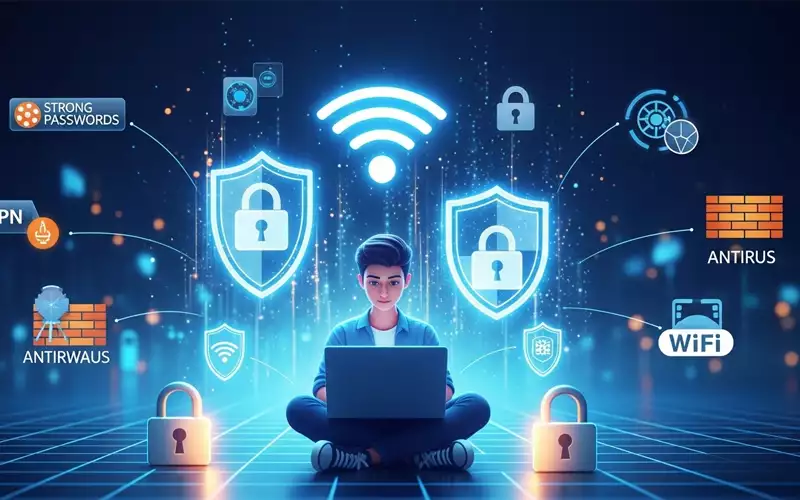
Today, staying safe online is really important. Cyberattacks are becoming smarter and can affect anyone – whether you use the internet at home, at work, or while working remotely. Knowing some basic cybersecurity tips can help protect you from losing money, having your identity stolen, or your privacy being violated. This guide will give you easy and practical advice that anyone can follow, even if you’re not a tech expert.
Technology plays a significant role in our everyday lives. We use the internet for banking, shopping, working from home, and even chatting with friends. But the more we rely on it, the more risks there are. Hackers are always looking for ways to take advantage of weak spots. That’s why knowing some simple cybersecurity tips is important for everyone, even if you’re not a tech expert.
Understanding Cybersecurity and Its Importance
Cybersecurity means using tools and good habits to keep your computers, networks, and data safe from hackers. If someone gets access, they could steal your personal info, money, or even harm your reputation. Cybersecurity isn’t just about protecting your devices—it’s about keeping your whole digital life safe. For example, if your email or social media account is hacked and you reuse passwords, it could affect other accounts too.
Even small mistakes, like using the same password everywhere or clicking on shady links, can cause big problems. Cybersecurity isn’t just about technology—it’s about thinking safely online. Everyone, whether you’re good with tech or a beginner, can benefit from simple habits like knowing the risks, spotting suspicious activity, and taking steps to protect yourself.
Cybersecurity Tips for Home Users
Hackers often target people at home because home devices usually don’t have the strong security that offices have. But even small steps can go a long way in keeping your personal information and online activities safe.
A very important tip for people using the internet at home is to use strong and unique passwords for every account. Many people still use easy or repeated passwords, which makes it easier for hackers to get in. A password manager can help you create and safely store complicated passwords. Turning on two-factor authentication whenever you can adds extra security, so even if a password is stolen, your account stays safe.
Another key recommendation is to regularly update your software. Hackers often take advantage of old software with security weaknesses. Updating your operating system, apps, and antivirus programs helps protect you from being hacked. It’s also important to be careful about the websites you visit and the links you click. Phishing attacks are common and can look very real, like messages from your bank or other services. Always check who the message is from and avoid suspicious links to stay safe.
People using the internet at home should also be careful about the personal information they share online. Posting too much on social media or on sites that aren’t secure can give hackers clues to guess your passwords or security questions. Treat your personal info like it’s private and try to limit what others can see—this simple step can really help keep you safe.
Cybersecurity Tips for Home Networks
Keeping your home network safe is just as important as protecting your devices. Cybersecurity tips for home networks help make it harder for hackers to get into your Wi-Fi and connected gadgets. Start by changing the router’s default password and use strong encryption, like WPA3. Many people forget these steps, but leaving default passwords is a big security risk.
Keeping different parts of your network separate can make it safer. For example, setting up a separate network for smart devices like cameras and thermostats means that if one device is hacked, it won’t affect everything else. Check the devices connected to your network often so you can notice anything unusual early. Using firewalls and antivirus programs adds extra protection against malware and hackers.
Managing guest networks is another tip people often forget. Let visitors use a separate network instead of your main one. This helps keep your personal files and sensitive information safe. Also, check your router settings regularly, turn off remote management, and keep your firmware updated to make your home network even more secure.
If you have several devices at home, think about turning on parental controls or setting limits on device access. This not only keeps kids safe from unsuitable content but also stops unauthorized people from accessing your network. When set up properly, home networks can be almost as secure as those in offices.
Cybersecurity Tips for Employees
Employees are very important for keeping a company’s data safe. Mistakes by people are one of the main reasons data gets leaked. Cybersecurity tips for employees focus on simple habits that help reduce risks at work.
First, employees should always use strong, unique passwords and avoid shortcuts like writing them on sticky notes or saving them in the browser. Using multi-factor authentication is important for work emails, cloud storage, and internal systems. Employees should also be careful with emails and attachments. Phishing attacks can look like real messages from coworkers or managers, trying to steal passwords or install malware.
Sharing files safely is another important point. Employees should use approved platforms with encryption for sensitive information and avoid using personal email or unprotected services. Knowing company rules about using devices and accessing the network can prevent accidental leaks. For example, using your personal device for work can be risky if it isn’t properly secured.
Employees should also be aware of social engineering risks. Hackers sometimes trick employees into sharing confidential information or giving access to systems. Regular training helps staff spot suspicious behavior and stay alert. Encouraging employees to report any possible security issues also makes the organization stronger.
Cybersecurity Tips for Remote Workers
Working from home has become very common, but it brings its own cybersecurity challenges. People working remotely often use home networks, which may not be as secure as office networks. Cybersecurity tips for remote workers help close this gap and keep work safe.
One of the best tips is to use a virtual private network (VPN). A VPN encrypts your internet connection, keeping your data safe from hackers on public or home networks. Remote workers should also try to keep work and personal devices separate. Using different accounts and devices for work and personal stuff lowers the risk if one device gets hacked.
Remote workers should keep their software up to date since they often manage their devices on their own. Using secure communication tools is very important—make sure video calls, emails, and collaboration platforms are encrypted. Being careful about phishing attacks is even more important when working remotely, because hackers take advantage of not having IT support right away.
Remote workers should also back up important files regularly. Using encrypted cloud storage or an external hard drive keeps your data safe and accessible even if something goes wrong. Knowing safe habits, along with using the right tools, helps remote workers keep their digital workspace secure.
Creating a Cybersecurity Mindset
Technical tools are helpful, but people’s actions are what really keep us safe online. Developing a cybersecurity mindset means building habits that protect your digital life. This includes thinking before clicking links, checking your accounts regularly, and being careful with sensitive information.
Learning about cybersecurity is very important. Knowing the latest threats and trends helps you stay ahead of risks. Families, employees, and coworkers all benefit from simple cybersecurity training. Daily habits like using strong passwords, locking devices, updating software, and avoiding suspicious links are the basics of staying safe online.
Having a cybersecurity mindset also means being prepared for unexpected problems. This includes knowing how to handle phishing emails, having a plan if a device is lost or hacked, and checking your account security settings regularly. By making cybersecurity part of your everyday routine, both people and organizations can stay much safer online.
Common Cyber Threats and How to Avoid Them
Knowing about common cyber threats helps you use the right cybersecurity tips. Malware, like viruses, ransomware, and spyware, can harm your devices and steal your data. It’s important to avoid suspicious downloads, email attachments, and websites.
Phishing attacks are another big risk. They often look real and try to trick you into giving away sensitive information. To stay safe, always check who sent the email, use anti-phishing tools, and avoid clicking on links you don’t recognize.
Social engineering tricks people by taking advantage of trust, like fake tech support calls or misleading messages. Staying cautious, checking requests carefully, and following company rules helps protect against these tricks. Weak passwords and unsecured networks are always a risk. Using strong, unique passwords, turning on multi-factor authentication, and keeping networks secure can help reduce these dangers.
Practical Cybersecurity Tips in Everyday Life
Cybersecurity doesn’t have to be complicated and can be part of your daily routine. Many tips take very little effort but offer strong protection. Turning on automatic software updates keeps your devices safe without you having to do anything all the time. Using a password manager keeps your passwords secure and helps you avoid using the same ones everywhere.
Public Wi-Fi networks can be risky. Avoid logging into sensitive accounts on open networks, and use a VPN when needed. Backing up your data regularly helps you recover it if something goes wrong. Treat your devices like valuable items—lock your screen when you’re not using them and use encrypted storage to keep your information safe.
Also, teach your family or people you live with about these tips. Kids and people who aren’t tech-savvy are often the easiest targets for hackers. By making everyone aware and careful, home users can make the whole network safer for everyone.
Cybersecurity Tips for Personal Privacy
Keeping your personal information private online is an important part of cybersecurity. Share only what’s necessary on social media and make sure your privacy settings are set correctly. Avoid clicking on suspicious ads or pop-ups that ask for personal information.
Use messaging apps that have end-to-end encryption for private chats. Pay attention to the permissions you give apps on your devices. Some apps might access your location, contacts, or camera when they don’t really need to. Checking and managing these permissions helps keep your privacy safe without affecting how the app works.
Regularly monitoring bank accounts, credit reports, and online profiles helps detect unauthorized activity early. Quick action in response to suspicious activity can prevent significant damage. By combining these habits with strong cybersecurity practices, users can maintain both security and privacy online.
Conclusion: Make Cybersecurity a Priority
Cybersecurity isn’t just about technology—it’s everyone’s responsibility. From people protecting their devices at home to employees keeping company data safe, following basic cybersecurity tips helps create a safer online world. Using strong passwords, keeping software updated, protecting your network, and staying aware of risks are the key steps to stay secure.
The goal is to build habits and systems that automatically lower risks. Following these tips in your daily life helps protect you, your family, and your workplace from cyber threats. Whether you’re at home, in the office, or working remotely, these practical tips make it easier to use the internet safely and confidently.
By paying attention and practicing safe habits regularly, cybersecurity can become an easy part of everyday life. Threats may change over time, but with the right mindset and tools, you can stay ahead and keep what matters most safe.
FAQs for Cybersecurity Tips
Q1: What are the most important cybersecurity tips for home users?
A1: Home users should focus on strong, unique passwords, enabling two-factor authentication, keeping devices updated, avoiding suspicious links, and securing Wi-Fi networks. Regularly monitoring devices and using antivirus software also enhance home security.
Q2: How can I protect my home network from hackers?
A2: Protect your home network by changing default router passwords, using WPA3 encryption, setting up separate networks for smart devices, managing guest networks, enabling firewalls, and keeping router firmware updated. Monitoring connected devices regularly helps detect unusual activity.
Q3: What cybersecurity tips should employees follow at work?
A3: Employees should use strong, unique passwords, enable multi-factor authentication, avoid clicking suspicious emails, use secure file-sharing platforms, follow company security policies, and report any unusual activity. Regular cybersecurity awareness training also helps.
Q4: How can remote workers stay safe online?
A4: Remote workers should use VPNs for secure internet connections, separate personal and work devices, keep software updated, use encrypted communication tools, back up important files regularly, and remain cautious of phishing attacks.
Q5: Why is a cybersecurity mindset important?
A5: A cybersecurity mindset ensures that individuals consistently practice safe online habits. Thinking before clicking, regularly reviewing account activity, and treating sensitive information carefully reduce the risk of cyber threats.
Q6: What are common cyber threats and how can I avoid them?
A6: Common threats include malware, ransomware, phishing attacks, social engineering, and weak passwords. Avoid suspicious downloads, use antivirus software, enable multi-factor authentication, verify emails before clicking, and follow safe browsing practices.
Q7: Can I secure my personal privacy while using the internet?
A7: Yes. Limit personal information shared online, configure privacy settings, use encrypted messaging apps, manage app permissions, and monitor online accounts regularly to detect unauthorized activity.
Q8: What should I do if I suspect a cyberattack on my devices?
A8: Disconnect the device from the internet, run a full antivirus scan, change passwords on affected accounts, restore data from secure backups, and report the incident to relevant authorities or IT support if necessary.
Q9: How often should I update my software for cybersecurity?
A9: Software updates should be installed as soon as they are available. Enabling automatic updates ensures that operating systems, apps, and antivirus programs remain secure without manual intervention.
Q10: Are password managers safe to use for cybersecurity?
A10: Yes. Password managers securely store complex passwords, reduce reuse, and can generate strong passwords for each account. Using a trusted password manager is one of the most effective cybersecurity tips.




Add comment