
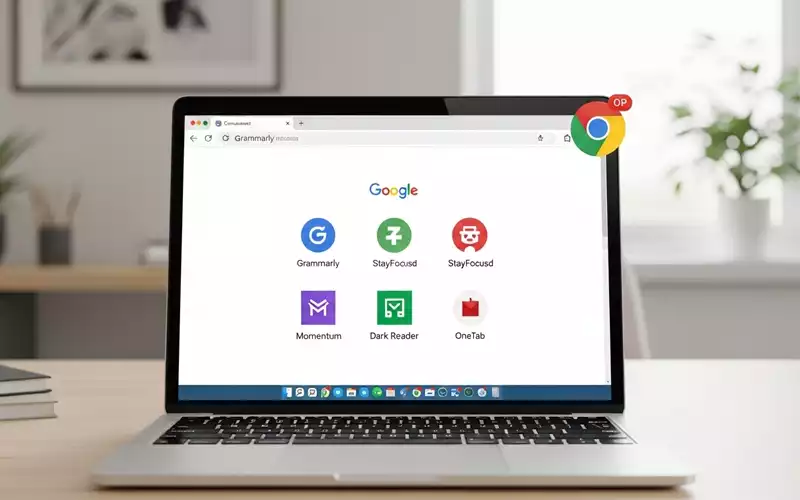
Google Chrome is one of the most popular browsers worldwide. Its speed, reliability, and ease of use make it the first choice for millions of users. But Chrome becomes truly powerful when you add extensions. These small tools enhance the browser’s functionality and help users work smarter, study more efficiently, and manage daily tasks with ease. That is why many people are constantly searching for the best chrome extensions that are not only useful but also make life easier.
Extensions are tiny programs installed in Chrome that add new features or improve existing ones. They can help you save time, stay organized, reduce distractions, and even improve your writing or coding skills. Choosing the right extensions can completely transform your browsing experience, whether you are a student, professional, or developer.
In this article, we will explore the best chrome extensions for productivity, the best chrome extensions for developers, and the best chrome extensions for students. Every extension is given its own heading with a clear explanation so you can understand what it does and why it is important.
Why Chrome Extensions Are Essential
Many people use Chrome daily but do not realize how much more it can do with extensions. At its core, Chrome is fast and reliable, but it is quite basic without add-ons. Extensions allow you to customize the browser to match your specific needs.
For instance, if you spend hours writing emails or reports, a grammar extension can save you from mistakes. If you are a student researching online, a note-taking extension can help you capture important points quickly. Developers can debug websites more efficiently with the right tools. These small adjustments may seem minor at first, but over time, they save hours of work.
Extensions also reduce the need for multiple apps. You do not have to open separate software for notes, task management, or screen recording because many of these features can be integrated into Chrome itself. This convenience is one of the main reasons why people look for the best chrome extensions.
Best Chrome Extensions for Productivity
Productivity extensions are designed to help users focus, manage time, and get more done without extra effort. If you struggle with distractions or want to optimize your workflow, these extensions are essential.
Grammarly
Grammarly is one of the most popular and effective productivity tools for writers. It checks grammar, spelling, punctuation, and tone as you type in emails, documents, or social media posts. Grammarly is more than a spell-checker; it explains mistakes so you can improve your writing skills over time.
For professionals, Grammarly ensures that every email or report looks polished and professional. For students, it helps write essays and assignments with proper grammar. You can also customize Grammarly to match the style of your writing, whether formal, casual, or creative.
Tip: Use Grammarly to draft emails or reports directly in Gmail or Google Docs. It works in real-time and highlights errors instantly, making it faster than manual proofreading.
Todoist
Todoist is a task management extension that helps you organize your daily activities efficiently. You can create tasks, set deadlines, prioritize work, and even divide projects into smaller subtasks.
For busy professionals juggling multiple projects, Todoist ensures nothing is forgotten. For students, it helps manage assignments and deadlines in a simple and visual way. The clean interface makes task management stress-free, and the extension syncs across devices so your to-do list is always updated.
Tip: Use labels and filters in Todoist to categorize tasks, like “Work,” “Study,” or “Personal.” This makes it easy to focus on one type of task at a time.
StayFocusd
StayFocusd is perfect for anyone who struggles with online distractions. This extension lets you limit the time spent on specific websites such as social media, news, or streaming platforms. Once your allotted time is over, the site is blocked for the day.
This strict approach might sound harsh, but it works. By controlling distractions, you can focus on important tasks and improve your productivity. StayFocusd is particularly useful for remote workers, students, and anyone who tends to lose time browsing aimlessly.
Tip: Set a daily limit for distracting sites and gradually reduce it over time. You will notice a significant improvement in focus and work efficiency.
Momentum
Momentum is a unique productivity extension that replaces your new tab with a dashboard displaying your main goal, daily focus, and an inspiring quote. The background shows calming images that help reduce stress while browsing.
This extension subtly reminds you of your priorities every time you open a new tab. It also integrates a to-do list feature so you can check off tasks while staying visually motivated.
Tip: Combine Momentum with Todoist. Keep Todoist for detailed task management and use Momentum for daily focus reminders.
Dark Reader
Dark Reader adds dark mode to all websites, reducing eye strain during long hours of browsing. It also improves readability by adjusting contrast and brightness automatically.
For anyone working late at night or spending long hours in front of a screen, Dark Reader improves comfort and reduces fatigue. It can also prevent headaches caused by bright screens.
Tip: Customize Dark Reader for each website to make it perfectly readable according to your preference.
OneTab
OneTab helps manage multiple tabs efficiently. When your browser is overloaded with open tabs, this extension converts them into a single list. You can restore tabs individually or all at once.
This reduces memory usage and keeps your browser organized. It is especially useful for researchers, students, and professionals who tend to open multiple resources at the same time.
Tip: Use OneTab at the end of your day to save your session for later. It will keep your workflow organized and reduce clutter.
Best Chrome Extensions for Developers
Developers rely on extensions to inspect code, debug websites, and test performance. The best chrome extensions for developers save time and make technical work more efficient.
React Developer Tools
React Developer Tools allows developers to inspect React components, view props and state, and analyze component structure directly in Chrome.
It helps developers debug applications quickly and understand how components interact. For anyone working on React applications, this extension is essential.
Tip: Use the extension to check which components re-render unnecessarily. This can improve app performance significantly.
Web Developer
Web Developer adds a suite of tools for front-end development. It allows inspecting elements, testing layouts, disabling CSS, viewing form details, and more.
It is particularly helpful for developers who need to troubleshoot issues quickly without using multiple programs.
Tip: Use the toolbar to disable styles temporarily and check how your website behaves without CSS. This can reveal hidden layout issues.
JSON Viewer
JSON Viewer formats raw JSON data into a readable structure. Developers often encounter raw API responses that are difficult to understand without formatting.
This extension makes debugging API data much easier and helps visualize complex JSON responses clearly.
Tip: Use JSON Viewer when testing REST APIs to quickly understand responses and reduce errors in debugging.
Postman Interceptor
Postman Interceptor allows Chrome to capture requests and cookies directly and send them to Postman. This makes API testing faster and more precise.
For developers working with APIs daily, this tool is indispensable. It reduces the need to manually capture requests and improves workflow efficiency.
Tip: Combine Postman Interceptor with Postman to test APIs in real-time while browsing websites.
Lighthouse
Lighthouse evaluates website performance, accessibility, SEO, and best practices. Developers get actionable insights to improve their websites.
It helps identify slow-loading pages, accessibility issues, and SEO errors. Implementing these suggestions can significantly improve website performance and user experience.
Tip: Run Lighthouse audits before launching any website or web application to ensure it meets quality standards.
Best Chrome Extensions for Students
Students need extensions that improve research, studying, and focus. The best chrome extensions for students help organize study materials, highlight important information, and maintain concentration.
Google Keep
Google Keep allows students to take notes quickly while browsing. Notes are synced across devices, making it easy to access information anytime.
It is perfect for capturing ideas from online research, lectures, or articles. Students can also organize notes with labels and colors.
Tip: Use Google Keep to create separate notebooks for each subject. This will make studying organized and efficient.
Kami
Kami is a powerful tool for reading and annotating PDFs. Students can highlight, underline, comment, and collaborate on documents without printing them.
It simplifies studying and improves understanding by allowing interactive engagement with study material.
Tip: Combine Kami with Google Classroom for efficient online assignment submission and collaboration.
Quizlet
Quizlet is designed for memorization and learning. Students can use flashcards and quizzes to study vocabulary, formulas, and key concepts.
It turns studying into an interactive activity rather than passive reading. Pre-made sets are available for almost any subject, saving time.
Tip: Use Quizlet’s “Learn” mode to track progress and focus on weaker areas for better results.
Forest
Forest helps students stay focused while studying. When you focus, a virtual tree grows. If you leave your work early, the tree dies.
This gamified focus tool encourages concentration and reduces procrastination. Many students find it effective for creating a productive study environment.
Tip: Set daily focus goals in Forest to build consistent study habits and monitor progress visually.
Grammarly (Students)
Students can also use Grammarly to write essays and assignments professionally. It improves clarity, grammar, and sentence structure.
This ensures that students submit polished work and learn proper writing skills over time.
Tip: Use Grammarly for peer reviews to give constructive feedback and improve collaborative writing projects.
Other Useful Chrome Extensions
Bitwarden
Bitwarden is a secure password manager. It stores passwords safely and fills them automatically when needed.
This helps users manage multiple accounts without using weak or repeated passwords. Security and convenience are combined in one extension.
Tip: Use Bitwarden’s password generator to create strong and unique passwords for all accounts.
Loom
Loom allows users to record their screen and share it instantly. It is helpful for tutorials, team explanations, or project demonstrations.
It saves time compared to long emails or written instructions and adds clarity to communication.
Tip: Use Loom for quick feedback on assignments, code reviews, or training sessions.
Awesome Screenshot
Awesome Screenshot captures images of your screen, annotates them, and shares them easily.
It is useful for collaboration, study, and reporting errors or bugs.
Tip: Use it to document web research or explain visual problems to team members or classmates.
OneNote Web Clipper
OneNote Web Clipper allows saving web pages directly into Microsoft OneNote. Students, researchers, and professionals can organize content efficiently.
Tip: Clip articles, research papers, and study materials into separate notebooks for organized reference.
How to Choose the Right Chrome Extensions
With so many options, choosing extensions can be overwhelming. Start by focusing on your specific needs:
- Focus and Productivity:Use StayFocusd, Forest, Momentum, and Todoist.
- Writing and Communication:Use Grammarly for real-time improvement.
- Development Work:Use React Developer Tools, Web Developer, JSON Viewer, and Postman Interceptor.
- Study and Learning:Use Google Keep, Kami, Quizlet, and Forest.
Only install extensions that you will use consistently. Avoid cluttering Chrome with unnecessary tools, as too many extensions can slow down performance. Always check reviews and trustworthiness before installing.
Final Thoughts
The best chrome extensions can significantly improve productivity, focus, learning, and development. They save time, reduce mistakes, and make online work easier and more efficient.
Productivity extensions help organize tasks and reduce distractions. Developer extensions make coding, debugging, and testing easier. Student extensions improve studying, note-taking, and research.
The key is to install extensions that solve real problems in your life. With the right setup, Chrome is no longer just a browser—it becomes a personal workspace tailored to your needs. By choosing wisely, you can work smarter, study better, and browse more efficiently every day.
FAQs:
What are Chrome extensions?
Chrome extensions are small programs installed in Google Chrome that add new features or enhance existing ones. They help improve productivity, organization, focus, and browser functionality.
Why should I use Chrome extensions?
Extensions make Chrome more powerful by saving time, reducing distractions, improving workflow, and adding tools like task managers, note-taking apps, or developer tools.
What are the best Chrome extensions for productivity?
Popular productivity extensions include Grammarly for writing, Todoist for task management, StayFocusd for reducing distractions, Momentum for daily focus, Dark Reader for eye comfort, and OneTab for tab management.
Which Chrome extensions are best for developers?
Developers often use React Developer Tools, Web Developer, JSON Viewer, Postman Interceptor, and Lighthouse to debug code, inspect websites, and test performance efficiently.
What Chrome extensions help students study better?
Students can use Google Keep for notes, Kami for PDF annotation, Quizlet for flashcards, Forest for focus, and Grammarly for writing assignments.
Can Chrome extensions replace apps?
Yes. Many extensions integrate features like note-taking, task management, screen recording, and password management, reducing the need for separate apps.
How do I choose the right Chrome extensions?
Focus on your needs: productivity, writing, development, or study. Only install extensions you will use consistently and check reviews to ensure they are safe and reliable.
Can too many extensions slow down Chrome?
Yes. Installing too many extensions can affect browser performance. It’s best to install only what you really need.
Are Chrome extensions safe to use?
Most extensions from the Chrome Web Store are safe, but always check reviews, permissions, and the developer’s reputation before installing.
How do extensions improve focus and productivity?
Extensions like StayFocusd and Forest limit distractions, manage time, and visually motivate users, helping them work or study more efficiently.





Add comment