
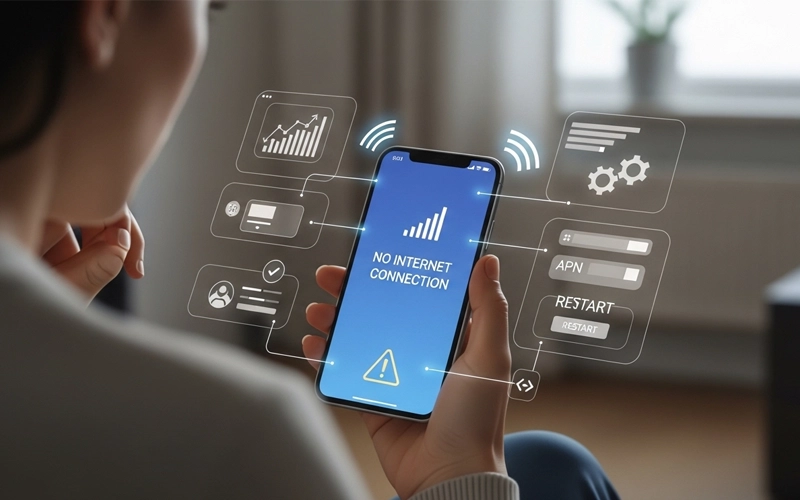
Sometimes your internet just stops working at the worst possible moment. You might be trying to open a website, send a message, or use an app, and suddenly nothing loads. On Android devices, this kind of issue can be frustrating because everything depends on a stable connection. One minute everything is fine, and the next, your data connection just disappears or becomes extremely slow for no clear reason.
The good thing is, in most cases it’s not a big issue. It usually happens because of small things like wrong settings, temporary network issues, or just some random software glitch in the phone. Nothing too serious. These are the kinds of problems you can usually fix yourself at home without going anywhere. A lot of people keep searching daily for things like why is my mobile data not working, mobile data not working android, or iphone mobile data not working because the internet suddenly stops and they don’t really know what to check first. Most of the time, it’s something very basic that gets overlooked.
In this guide, we’ll go through the possible reasons in a very simple way, step by step. No complicated technical stuff. Just easy fixes that anyone can try. The idea is to help you figure out what’s wrong and get your mobile data working again without too much stress or confusion.
Why mobile data suddenly stops working
When mobile internet suddenly stops working, it’s usually because of small things that most people don’t even notice. One very common reason is just network instability. Sometimes your mobile network is having issues in your area, or the signal where you are standing is too weak without you realizing it.
Another simple reason can be phone settings. It happens more often than people think—mobile data might get turned off by mistake, or after a software update, some settings can quietly change in the background. Even a tiny change in network settings can affect your internet without giving any clear warning.
Software glitches are also pretty common nowadays. Smartphones are smart, but not perfect. Sometimes small bugs or background errors can interrupt the internet connection. The good thing is, these issues are usually temporary, and once you fix them, mobile data starts working normally again.
Basic steps you should always check first
| Problem Area | What to Check | Quick Fix |
|---|---|---|
| Mobile Data Off | Data toggle is ON/OFF | Turn ON mobile data |
| Airplane Mode | Enabled or not | Turn OFF airplane mode |
| Data Package | Active or expired | Recharge or renew bundle |
| Network Signal | Weak or no signal | Move to better coverage area |
| Phone Glitch | Temporary system bug | Restart your phone |
| APN Settings | Incorrect configuration | Reset APN to default |
Before trying anything advanced, it is important to check a few basic things that often solve the problem immediately. First, make sure your mobile data is actually turned on. Many people accidentally disable it and forget about it.
Also check airplane mode. If airplane mode is enabled, your phone will completely disconnect from mobile networks, including internet. Turning it off usually restores connection instantly.
Another very important thing is your data package. If your internet bundle has expired or finished, your phone will still show network signals but will not load anything online. Many users think there is a technical issue when actually the data plan is already ended.
Restarting your phone is also a simple but powerful solution. A restart refreshes system processes and clears temporary errors that may be blocking internet access.
Internet not working on Android devices
Android phones are used almost everywhere, and because of that, a lot of users run into mobile data not working android issues at some point. The thing with Android is that it’s not the same on every phone. Different brands and even different models have their own settings and system tweaks, which can sometimes make network settings a bit confusing.
One common reason behind this issue is APN settings. APN (Access Point Name) is basically what connects your phone to the internet. If this setting gets changed, deleted, or messed up somehow, your internet can stop working even if your signal looks fine. Many people don’t even know this setting exists, so they assume something is wrong with the network when it’s actually just APN.
Another thing that often causes trouble is background data restriction. Android phones have battery-saving features that try to reduce data usage in the background. Sometimes this ends up blocking apps from using internet properly, even when mobile data is turned on.
On top of that, outdated software can also create issues. If your Android system hasn’t been updated for a while, it may start behaving weirdly with network connections. This can lead to slow internet or sometimes no connection at all until the system is updated.
Samsung mobile data problems explained
Samsung phones are pretty common, but users do face samsung mobile data not working issues more often than they expect. Usually it’s not some big fault in the phone—it’s more about settings or small system things running in the background.
One thing that happens a lot is power saving mode. Samsung phones try really hard to save battery, so sometimes they limit background data without clearly telling you. Because of that, apps might stop updating or the internet just feels slow even though mobile data is on.
Another simple issue is network selection. Your phone doesn’t always stick to the strongest network automatically. So you might be connected to a weaker signal without realizing it, and that’s when internet starts acting up or stops working properly.
Software updates can also mess things up sometimes. If your phone is running an older version, it might not match properly with your network’s latest settings, especially after carrier updates. That’s when people suddenly notice slow or no internet.
And yeah, don’t ignore the SIM card either. It sounds basic, but if the SIM is even slightly loose or not sitting properly, you can easily get unstable internet or complete disconnects.
iPhone mobile data not working issues
iPhone users sometimes also face iphone mobile data not working issues, even though iPhones are generally known for their smooth and stable performance. In most cases, the problem is not with the device itself but with settings or carrier configuration.
One common reason is outdated carrier settings. These settings help your iPhone connect properly to the mobile network. If they are not updated, your internet may become slow or stop working completely without any clear warning.
Another simple issue is cellular data getting turned off accidentally. This can happen after a software update or a system reset, and many users don’t even notice it right away, which leads to confusion when the internet stops working.
One of the most effective fixes for iPhone users is resetting network settings. This removes all saved network configurations and restores everything back to default. In many cases, this quickly resolves the issue and brings the internet connection back to normal.
Network or provider-related issues
Sometimes the issue isn’t even in your phone. A lot of people run into why is mobile data not working just because their network provider is having problems.
Mobile companies do maintenance work or sometimes face sudden technical outages. When that happens, internet can slow down or completely stop working in certain areas, and there’s nothing much you can do from your side except wait.
Weak signal is also a very common reason. If you’re inside a building, in a crowded place, or somewhere remote, your phone may struggle to hold a proper connection—even if it still shows signal bars.
In situations like this, it usually helps just to move to another spot or wait a little while. Most of the time, the connection comes back on its own without you doing anything special.
Advanced troubleshooting methods
If the basic fixes don’t work, then it’s time to try a few deeper things. One of the first things you can do is reset your network settings. This basically clears all saved Wi-Fi, Bluetooth, and mobile data settings and brings everything back to default. It sounds simple, but it often fixes the issue.
Another thing worth trying is manually selecting your network. Sometimes your phone just sticks to a weaker signal in the background, and that’s when internet starts acting slow or stops completely.
It’s also a good idea to check for system updates. Whether you’re on Android or iPhone, updates often fix small hidden bugs that can mess with your network without you even realizing it.
And if nothing is working at all, just try your SIM card in another phone. That way you can quickly figure out if the issue is with your phone or the SIM itself.
How to prevent mobile data issues in the future
Once your internet starts working again, don’t just forget about it and move on. If you’re not a little careful, the same issue can pop up again — and that’s exactly what happens to most people.
One simple thing you can do is keep your phone updated. A lot of people skip updates, but they’re not just about new features. They also fix small bugs and network problems that can mess with your connection. And try not to install random apps. Some of them keep running in the background and use your data without you even noticing.
Restarting your phone from time to time is also a good habit. It sounds basic, but it actually helps clear minor glitches and keeps things running smoothly. Make sure you also keep an eye on your data usage.
Sometimes the internet doesn’t stop because of a technical issue — it’s just that your data package has run out.
At the end of the day, a little bit of care can save you from dealing with the same headache again.
Frequently Asked Questions (FAQs)
1. Why does internet suddenly stop working on my phone?
This usually happens due to weak signal, expired data plans, or temporary system glitches. Sometimes a background system error or network outage from the provider can also interrupt the connection.
2. What should I check first when internet is not working?
Start by checking if data is turned on, airplane mode is off, and your package is active. A simple restart often fixes temporary connection problems.
3. Why do I have signal but no internet access?
This happens when your phone is connected to the network but cannot access online services. It may be due to APN issues, weak coverage, or restrictions from your network provider.
4. How can I fix slow or no internet on Android phones?
You can restart your device, reset network settings, or check APN configuration. Updating your phone’s software regularly can also enhance its performance and overall stability.
5. Why does connection stop working after a system update?
Sometimes updates reset network configurations or change system settings, which can temporarily affect connectivity until settings are corrected or reset.
6. What causes internet issues on Samsung devices?
Power saving modes, background restrictions, outdated software, or incorrect network selection can all affect connectivity on these phones.
7. How do I restore internet on iPhone?
You can enable cellular settings, update carrier settings, restart the device, or reset network configurations to solve the issue.
8. Can SIM issues affect internet access?
Yes, a damaged or improperly inserted SIM can cause weak or no connection. Testing it in another device helps confirm the issue.
9. Why does connection work in some areas but not others?
This is usually related to network coverage. Some locations have weak signals, which affects speed and stability.
10. How can I prevent internet problems in the future?
Keep your phone updated, avoid changing unknown settings, restart your device regularly, and ensure your data plan is always active.
Final thoughts
data isn’t working on Android, iPhone, or you’re just dealing with random network problems, the fix is usually simple.
The important thing is not to panic. Start with the basic checks first, then go through your phone settings, and only try advanced fixes if nothing else works. In many cases, the internet starts working again within a few minutes.
Once you understand how your mobile network works, it becomes much easier to deal with these issues. You won’t feel as frustrated, and you’ll be able to fix things quickly the next time it happens.




Add comment