
Introduction
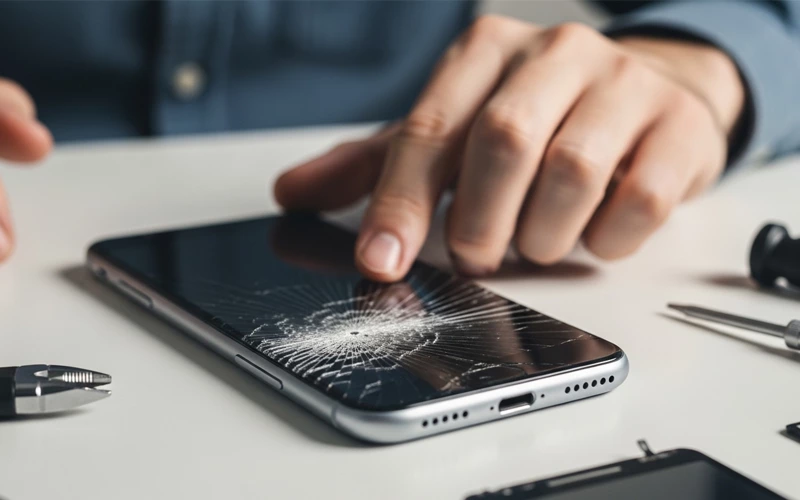
A cracked screen is something almost every smartphone user deals with at some point, and honestly, it can be really annoying. Even a small drop or light bump can be enough to crack or damage your phone’s display. Sometimes you just see a few cracks or lines, and in worse cases the touch stops working properly. Since we use our phones for everything these days, a cracked screen doesn’t just make the phone look bad—it can also create real problems in daily work, communication, and accessing important stuff.
A lot of people quickly start looking for answers like how to fix a cracked screen or how to fix cracked screen on phone, but the situation is not always the same. In some phones, only the outer glass breaks, while in others the damage affects the entire display. That’s why it’s better to first check how bad the damage actually is before trying anything. In this guide, we’ll go through cracked screen issues in a simple way, look at what usually causes them, and also talk about basic fixes as well as proper repair options so you can decide what’s best for your phone.
What is Screen Damage?
A cracked screen doesn’t always mean your phone is totally useless, but it definitely makes things harder. You might notice the display becoming less clear, the touch not working smoothly, or in some cases the problem can even get worse over time. Sometimes it’s just the screen protector that is damaged, but in other situations both the glass and the actual display are affected. That’s why it’s important to first understand what type of damage your phone has before going for any repair.
Common Causes Behind It
A cracked screen usually happens when the phone suddenly gets hit or put under pressure. One of the most common reasons is simply dropping the phone on a hard surface like concrete, tiles, or a stone floor. Even a small fall can cause visible cracks, especially if the phone lands on a corner or at a sharp angle.
Another reason is pressure inside pockets or bags. A lot of people keep their phones in tight jeans or bags where other items keep pressing against them. Over time, this pressure can slowly weaken the screen. Accidental sitting on the phone is also something that happens more often than people think, and it can easily lead to screen damage.
Sometimes temperature changes and build quality also affect how strong the screen is. In a few cases, low-quality screen protectors or already weak glass make the phone more sensitive, so even a small impact can cause a cracked screen.
How Screen Damage Happens in Smartphones
When people search for how to fix a cracked screen, they often expect a simple home solution. However, the truth is that fixing a cracked screen depends on the severity of the damage. If only the outer glass is slightly damaged, some temporary fixes may reduce further spreading of cracks, but they will not restore the original condition of the screen.
In most cases, professional repair is the only permanent solution. Mobile repair technicians usually replace either the outer glass, the full display assembly, or the entire screen module depending on the device type. Attempting DIY repair without proper tools can make the damage worse, especially if the phone has modern OLED or AMOLED display technology.
Screen Protector vs Actual Display Damage
In most cases, the actual phone screen underneath stays completely fine. That’s why it’s always a good idea to check properly before assuming your phone screen is damaged.
But if the actual display is affected, then there’s no real shortcut and you’ll need proper repair from a technician.
Knowing this difference really helps people avoid spending money on unnecessary repairs and also makes it easier to understand whether the problem is small or something more serious.
Practical Ways to Fix Phone Screen Issues
But if you start seeing things like black spots, screen flickering, or the touch stops responding properly, then it usually means the damage is inside the display. At that point, there’s no real quick fix—you’ll most likely need to replace the screen. A technician will open the phone and install a new display so everything works normally again.
One important thing is to avoid pressing or putting pressure on a cracked screen, because that can make the damage worse and end up increasing the repair cost.
DIY Fix vs Professional Repair Service
A lot of people think about doing a DIY repair when they look up cracked screen solutions online. And yes, you’ll find plenty of repair kits in the market, but the thing is, they’re not always beginner-friendly. Modern smartphones are built in a pretty delicate way, so even a small mistake can cause more trouble than the original issue.
At first, DIY repair might look like a cheaper option, but it can backfire. If something goes wrong, you might end up damaging parts like the motherboard, fingerprint sensor, or even the display connectors. That usually makes the repair more expensive than it needed to be in the first place.
On the other side, professional repair services are much safer. They use proper tools and either original or good-quality replacement parts to fix the screen the right way. In many cases, you also get some kind of warranty, which is honestly a big relief.
Because of all this, most experts suggest avoiding DIY fixes unless you really know what you’re doing with phone hardware.
Repair Cost Comparison and Factors
The cost of fixing a cracked screen depends on phone brand, model, and type of damage. Below is a simple comparison table to understand average repair costs:
Phone Type | Minor Glass Repair | Full Screen Replacement | Premium Models Cost |
Budget Android | Low | Medium | Not Applicable |
Mid Range Phones | Medium | Medium to High | Moderate |
| High-End Smartphones | Not Recommended | High | Very High |
Why You Should Not Ignore Screen Damage
Ignoring a cracked screen might not feel like a big deal at first, but usually it gets worse with time. Even small cracks can slowly spread, especially with daily use, pressure on the phone, or changes in temperature.
As the damage grows, it can reach the inside display and that’s when things get serious. You might start facing issues like display failure or the screen going completely black in some areas.
A cracked screen doesn’t just stay on the surface—it can also let dust and moisture get inside the phone, which can cause serious and sometimes permanent damage over time. Another issue is safety. Those sharp glass edges can easily cut your fingers, especially when you’re using the phone regularly.
Prevention Tips to Protect Your Phone
Preventing a cracked screen is always easier and cheaper than fixing one later. One of the simplest ways to protect your phone is by using a good tempered glass protector. It helps absorb the impact if the phone accidentally drops. A solid phone case with proper shock protection also makes a big difference in reducing damage.
You should also be a bit careful in everyday use. Try not to use your phone carelessly in crowded places or on slippery surfaces where it can easily slip from your hand. It’s also better to avoid keeping your phone in back pockets or under heavy items in your bag.
Small habits can actually save your phone in the long run, like not placing it on the edge of tables, beds, or other risky spots where it can fall easily.
When to Replace Your Phone Instead of Repairing
But if the phone is fairly new or a high-end model, then repairing the cracked screen usually makes more sense. It brings the phone back to normal without you having to spend a huge amount like you would on a replacement.
FAQs
1. Can a cracked phone screen get worse over time?
Yes, a cracked screen can get worse if it is not repaired quickly. Small cracks often spread due to pressure, heat changes, or normal daily use. Even light touching or carrying the phone in a pocket can slowly increase the damage and make the screen harder to fix later.
2. Is it safe to use a phone with a broken display?
It depends on the level of damage. If the touch and display are still working, you can use it temporarily, but it is not fully safe. Sharp glass edges can hurt your fingers, and internal damage may increase with time, leading to complete screen failure.
3. How can I tell if my screen is damaged or just the protector?
4. Can toothpaste or home remedies fix a broken screen?
No, toothpaste or any home remedy cannot repair a broken screen. These methods may slightly hide scratches on glass, but they do not fix internal damage or restore display functionality. Using such methods can sometimes make the problem worse.
5. What happens if I ignore screen damage for a long time?
Ignoring screen damage can lead to serious issues like spreading cracks, display failure, touch malfunction, and exposure of internal components to dust or moisture. Eventually, the phone may stop working completely.
6. How long does screen replacement usually take?
In most repair shops, screen replacement takes around 30 minutes to 2 hours depending on the phone model and availability of parts. Some advanced devices may take longer if careful calibration is required.
7. Is it worth repairing an old phone screen?
If the phone is still fast and meets your needs, repairing it can be worth it. However, if the phone is very old and has other issues like battery or performance problems, replacing the device might be a better option.
8. Can a cracked display affect phone performance?
Yes, in some cases it can. A damaged screen may cause touch delay, ghost touches, display flickering, or unresponsive areas. In severe cases, it can also affect how the phone behaves overall.
9. Why does my screen show lines after cracking?
10. How can I prevent screen damage in the future?
Using a strong tempered glass, a shockproof phone case, and handling your device carefully can significantly reduce the risk of damage. Avoid placing your phone on edges or in tight pockets where pressure can build up.
Conclusion
A cracked screen is something almost every smartphone user deals with at some point. It might look like a big issue at first, but in most cases it’s manageable if you deal with it the right way. The main thing is knowing whether the damage is only on the screen protector or if the actual display is cracked, because both situations are completely different.
If it’s only the protector, then it’s an easy and cheap fix. But if the real screen is damaged, then temporary tricks might help for a short time, but they won’t solve the problem properly. In that case, professional repair is usually the safest and most reliable option if you want the phone to work long-term.
At the end of the day, a cracked screen looks stressful, but if you understand it properly, it’s not as complicated as it seems.
If you want to read more interesting and detailed guides, visit EmbossitWorld now. You’ll find useful iPhone tips, tech tutorials, and a lot of practical information. Don’t miss out.





Add comment