
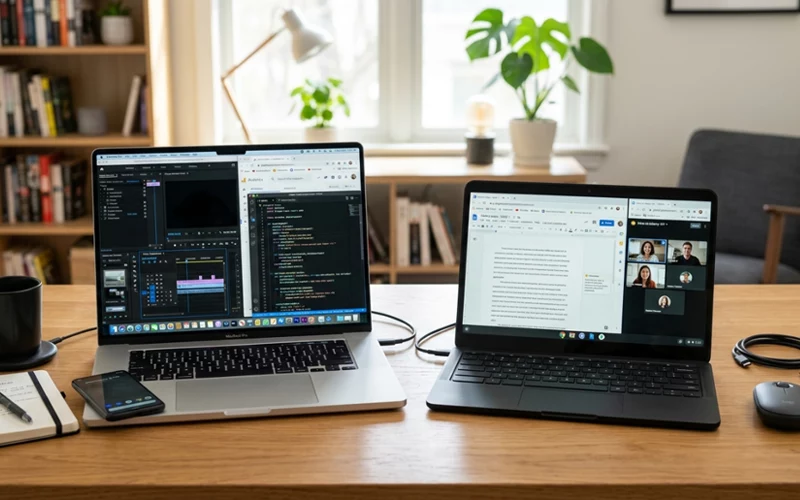
Choosing between a laptop and a Chromebook sounds simple at first, but once you start looking at prices, features, storage, apps, and performance, the decision becomes a lot more confusing. Some people want something powerful for work or study, while others just need a device for browsing, writing, watching videos, or joining online classes. That is exactly where the laptop vs chromebook conversation becomes useful, because both devices can look similar on the outside but behave very differently in daily use.
A lot of buyers make the mistake of judging only by price. A cheaper device is not always the better choice, and a more expensive one is not always necessary either. What matters most is how you plan to use it. Someone who mainly works in Google Docs and uses email may be perfectly happy with a Chromebook, while someone who edits videos, installs heavy software, or wants full flexibility may need a laptop. The real goal is not to buy the best device in general, but to buy the one that fits your routine.
What Makes Them Different at First Look
At a glance, laptops and Chromebooks can seem almost the same. They both have screens, keyboards, trackpads, Wi-Fi, and portable bodies that you can carry around. But under the surface, they are built for different styles of use. A laptop usually runs Windows or macOS, while a Chromebook runs ChromeOS, which is a lighter operating system made by Google. That one difference changes a lot about how the device works every day.
A traditional laptop is made for flexibility. It can run a wide range of programs, handle more complex tasks, and support both offline and online work. A Chromebook, on the other hand, is designed for speed, simplicity, and web-based work. It starts quickly, stays easy to manage, and usually costs less than a full laptop with similar hardware. For students, casual users, or people who live mostly in the browser, that can be enough. For advanced users, it may feel somewhat restrictive in terms of flexibility and features.
This is where the laptop vs chromebook difference becomes important in real life. A laptop gives you more freedom, more software options, and often stronger performance for demanding work. A Chromebook gives you a cleaner experience, easier maintenance, and better value for basic tasks. Neither one is automatically better. The better one depends on what you do most often.
Daily Use: Which One Feels Better?
Daily use is often the best test because that is where people actually feel the strengths and weaknesses. If your day mostly includes browsing the web, using Google Drive, writing notes, checking social media, and streaming videos, a Chromebook can feel very smooth. It boots fast, gets online quickly, and does not demand much setup. Many users like that they can open the lid and start working almost instantly.
A laptop can also handle these tasks, but it may feel like more than you need if your work is very light. On the other hand, if you often use Microsoft Office offline, photo editing software, design tools, coding environments, or business apps that are not browser-based, a laptop becomes much more practical. It gives you more control over files, software installation, and system settings.
Another thing people notice is storage behavior. Chromebooks usually rely more on cloud storage, while laptops often give you more local storage options. That means a Chromebook pushes you toward Google Drive or other online services, which works well if you are always connected. A laptop gives you more space to keep files directly on the device, which can be helpful when internet access is slow or unavailable.
People also care about comfort during long use. A Chromebook tends to feel lighter and simpler, and that can make it pleasant for students or travelers. A laptop may feel more complete for serious work because it supports a wider workflow. In simple terms, one is built for quick and easy online life, and the other is built for a broader range of tasks.
Best for Work, Study, and Entertainment
The answer changes depending on the purpose. For school and college, Chromebooks are often a very practical choice. They are fast, affordable, and ideal for online learning, note-taking, assignments, and research. Many schools already use Google Classroom, Google Docs, and Chrome-based tools, so a Chromebook fits naturally into that setup. If a student only needs a device for reading, typing, joining classes, and browsing, it does a very good job.
For office work, a laptop usually has the advantage. Many jobs still depend on software that works best on Windows or macOS. Even when web apps are available, some teams need advanced spreadsheet tools, desktop applications, local file management, or stronger multitasking. A laptop is generally more comfortable for people who switch between many programs or need a device that can support different work styles over time.
For entertainment, both can work well, but in different ways. If you mainly watch YouTube, Netflix, or use web-based streaming services, a Chromebook does fine. If you want to install larger apps, play more demanding games, edit media, or connect with a broader app ecosystem, a laptop is usually stronger. This is why laptop vs chromebook which is better is not a question with one fixed answer. It depends on whether you want basic comfort or complete flexibility.
People who travel a lot often like Chromebooks because they are light, start fast, and usually have good battery life. That makes them easy to carry on trips, flights, or daily commutes. A laptop can be a better choice for someone who travels for work and needs more serious tools on the road. So even in the same category of portable devices, the real winner changes with the lifestyle.
Performance, Apps, and Software Support
Performance is one of the biggest areas where the two devices separate. A Chromebook can feel very fast even with modest hardware because ChromeOS is lightweight. It does not need as much power to run smoothly, so a basic Chromebook can open quickly and handle everyday tasks without lag. That is one reason many people find them efficient and stress-free.
A laptop can range from very basic to extremely powerful. Entry-level laptops may be fine for simple use, while mid-range and high-end laptops can handle editing, development, business software, large files, and multitasking across many tabs and programs. If you know your needs may grow in the future, a laptop often gives you more room to expand.
App support is another major difference. Chromebooks work best with browser-based apps and Android apps, and many modern users can live comfortably inside that ecosystem. But some advanced desktop applications are still not available or do not work the same way on ChromeOS. Laptops support much broader software choices, which matters for creators, professionals, and technical users.
Gaming is also very different. Chromebooks are not built for serious gaming, although some cloud gaming and light games may work. Laptops can support a much wider gaming range, especially if they have decent graphics hardware. If gaming matters even a little, a laptop is usually the safer option.
When comparing devices, people often assume more expensive means better in every way, but that is not always true. A Chromebook may feel faster than a cheap laptop in simple everyday use because the system is lighter. Still, once you need advanced tools, the laptop usually pulls ahead. That is why it is wise to think beyond speed and ask what kind of tasks you actually need to complete.
Cost, Maintenance, and Long-Term Value
Price is one of the strongest reasons people consider a Chromebook. In many cases, Chromebooks are less expensive than laptops, especially when compared to models that offer similar build quality and battery life. For people like students, families, and those managing a tight budget, this can be a very practical advantage. You get a device that is easy to use without spending a lot.
A laptop may cost more, but the extra price often brings more power, more software freedom, and better upgrade potential. Over time, that can make the laptop a better value for people who need a device that can handle different jobs. If you buy a Chromebook for basic use and later realize you need desktop software, you may end up replacing it sooner. A laptop can sometimes last longer because it can adapt to changing needs.
Maintenance is another point where Chromebooks shine. They usually require less effort to manage. Updates happen in the background, security is simple, and the system is designed to stay clean and fast with very little user attention. Many people like that they do not have to worry much about technical setup or heavy maintenance.
Laptops need more care, but they also give you more control. You may need to handle updates, antivirus software, storage management, and system organization more actively. That is not a bad thing for everyone. Some users actually prefer having full control over their machine. Still, for someone who wants the easiest possible device, a Chromebook often feels less stressful.
Over the long run, value depends on your usage pattern. A cheap Chromebook can be perfect for simple daily needs. A stronger laptop may be a better investment if your work is likely to become more demanding. The smarter choice is not the one with the lowest price tag, but the one that saves you from replacing it too soon.
Frequently Asked Questions (FAQs)
1. What is the main difference between a laptop and a Chromebook?
The main difference is the operating system and functionality. Laptops usually run Windows or macOS and can install a wide range of software, while Chromebooks run ChromeOS and are mainly designed for web-based tasks and Google apps.
2. Is a Chromebook better than a laptop for students?
A Chromebook can be better for students who mainly use online tools like Google Docs, Classroom, and web browsing. However, students who need advanced software like Photoshop or offline applications may find a laptop more suitable.
3. Can a Chromebook work without the internet?
Yes, but with limited functionality. Chromebooks can work offline for tasks like writing documents, viewing files, and using some apps, but they are mainly designed to work best with an internet connection.
4. Which is faster: laptop or Chromebook?
It depends on the device. Chromebooks often feel faster for basic tasks because ChromeOS is lightweight. However, high-performance laptops are much faster for heavy work like editing, gaming, and multitasking.
5. What is the laptop vs chromebook difference in storage?
Laptops usually have larger local storage (HDD or SSD), while Chromebooks rely more on cloud storage like Google Drive. This means laptops store more files directly on the device, whereas Chromebooks depend on the internet.
6. Can I install Microsoft Office on a Chromebook?
You can use Microsoft Office online or install Android versions of Office apps on many Chromebooks. However, full desktop versions of Office are generally not available like they are on Windows laptops.
7. Laptop vs chromebook which is better for gaming?
Laptops are better for gaming because they support a wide range of PC games and powerful graphics hardware. Chromebooks are limited to basic or cloud-based gaming and are not suitable for heavy gaming.
8. Are Chromebooks cheaper than laptops?
Yes, in most cases Chromebooks are cheaper than traditional laptops. They are designed to be budget-friendly, making them popular for students and basic users.
9. Can a Chromebook replace a laptop for office work?
It depends on the job. For simple office tasks like emails, documents, and online meetings, a Chromebook can work well. But for advanced business software or heavy multitasking, a laptop is usually required.
10. Which lasts longer, a laptop or Chromebook?
Both can last several years, but it depends on usage. Chromebooks tend to stay fast longer for basic tasks, while laptops offer longer usefulness if you need advanced features and upgrade options.
Final Choice: Which One Should You Buy?
At this point, the answer should be clearer. A Chromebook is a great fit if you want something affordable, fast, simple, and mostly online. It works well for students, casual users, and people who spend most of their time in the browser. A laptop is better if you need wider software support, more storage options, stronger multitasking, gaming, editing, or professional-level flexibility.
Think about your daily habits before buying. If your life runs through email, documents, streaming, and web tools, a Chromebook may be enough and may even feel better than a heavy laptop. If your work or study involves software that goes beyond the browser, a laptop gives you more freedom and fewer limits. That is the heart of the laptop vs chromebook conversation: one is simpler and more focused, the other is broader and more capable.
In the end, the best choice is the one that matches your actual routine, not the one that sounds more impressive on paper. Many buyers regret choosing too much machine when they only needed simplicity, and others regret choosing too little when they needed power and flexibility. So before you spend your money, ask a simple question: do I need a device that keeps things easy, or one that can handle almost anything?
That question usually answers the debate better than any spec sheet. Once you are honest about your needs, the right choice becomes much easier to see.
If you want to read more interesting and detailed guides, visit EmbossitWorld now. You’ll find useful Information, and a lot of practical information. Don’t miss out.





Add comment