
Introduction
Most people don’t really think about it, but almost everything around us today is powered by invisible digital systems working in the background. From the way we check messages on our phones to how companies run massive online platforms, there is a hidden structure that keeps everything running smoothly without interruption. At the core of this entire setup lies the idea of software vs hardware, which simply explains how modern devices are built and how they actually function in real life. If you ever stop and look closely at any digital system, you will notice that nothing works on its own—it all depends on how these two parts interact with each other.
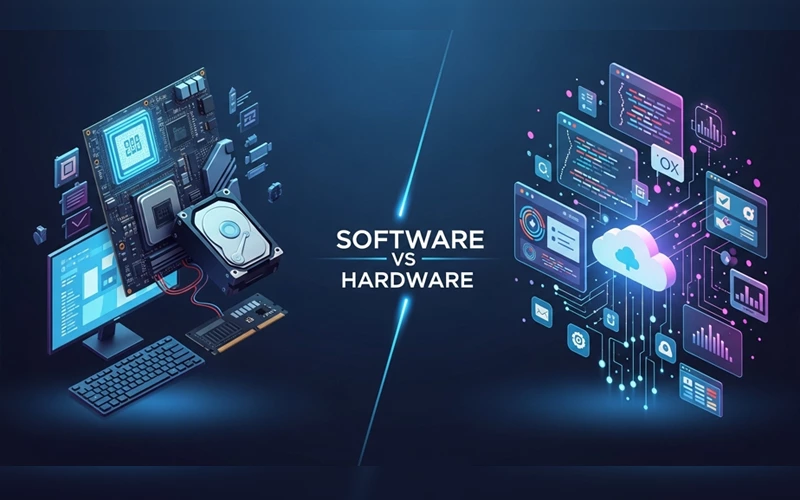
When we talk about software vs hardware, it is easy to assume they are two different or competing things, but that is not how they actually work. In reality, they depend on each other to exist and function properly. Hardware is the physical side of technology—the parts you can physically touch like processors, memory chips, storage drives, and screens. Software, on the other hand, is the set of instructions that tells all these physical components what to do and how to behave. It is like the difference between a machine and the intelligence that controls it. Whether it is everyday mobile apps or advanced systems like firewalls, RAID storage setups, VPN security layers, or data encoding processes, everything relies on this strong connection between software and hardware working together in the background.
Understanding the Basics of Software vs Hardware
To really get a clear idea of software vs hardware, it helps to first look at both of them in a simple and practical way instead of complicated technical terms. Hardware is basically everything physical inside a computer or any digital device. These are the parts you can actually touch and see, such as the processor, RAM, storage drive, motherboard, keyboard, mouse, and screen. Every device depends on these physical components because without them, nothing can even exist or function in the first place.
Software is completely different because you cannot touch it or hold it in your hand. It is made up of programs, instructions, and digital commands that run on the hardware. Software is what actually makes the hardware useful by telling it what to do step by step. For example, operating systems like Windows or Linux, mobile applications, web browsers, and even games all come under software. Without software, even the most powerful hardware is just sitting there doing nothing because it has no instructions to follow. That is why the topic of software vs hardware is always explained together, since both depend heavily on each other.
In simple terms, hardware works like the physical structure of a system, while software works like the control system that operates everything. When these two are combined, they create a complete digital environment where users can perform all kinds of tasks easily and efficiently. Neither of them can work properly alone, which is why understanding software vs hardware is so important in today’s technology-driven world.
Key Differences You Should Know
When you look at software vs hardware in a practical way, the differences become much easier to understand. Hardware is the physical part of any computer or device, meaning it is something you can actually see and touch. It is built in factories and installed inside systems, so it has a fixed form. Because of its physical nature, hardware can slowly wear out over time due to heat, regular use, or physical damage. Software works in a completely different way. It is not physical at all—it exists as code and instructions written in programming languages. It doesn’t “wear out” like hardware, but it can become outdated if it is not updated or maintained properly.
Quick Comparison
| Feature | Hardware | Software |
|---|---|---|
| Nature | Physical components | Digital programs |
| Visibility | Can be touched | Cannot be touched |
| Durability | Can wear out | Does not physically wear out |
| Function | Executes tasks | Provides instructions |
| Dependency | Needs software | Needs hardware |
| Examples | CPU, RAM, Disk | Windows, Apps, Drivers |
One of the most important things to understand about software vs hardware is how much they depend on each other. Hardware on its own cannot really do anything useful unless software tells it what to do. At the same time, software also cannot run without hardware to support it. Hardware performs the actual physical actions, while software provides the instructions and logic behind those actions. This relationship is what makes any computer, phone, or digital system work properly in real life.
Another simple way to see the difference is how changes are made. Software is much easier to update because it can be changed through code. Developers can fix problems, improve performance, and add new features without touching the physical device. Hardware is not that flexible. If something needs to be improved or replaced, it usually requires opening the device or changing parts completely, which takes more effort and cost.
In short, the comparison of software vs hardware shows that both are completely different in their nature, but in real use, they are always connected and rely on each other to make any digital system work.
Firmware, Software, and Hardware Explained
In most modern devices, what we see and what actually runs inside the system are two different things, and to understand that properly, we need to look a bit deeper into software vs hardware and an often ignored layer called firmware.
Firmware is a special type of built-in software that is directly stored inside a hardware device. Unlike normal software that you install, remove, or update frequently, firmware stays inside the device and handles very basic but important low-level functions. It quietly controls how the hardware should behave at the most fundamental level, especially when the device is first turned on.
This is why firmware plays a key role during startup. In computers, for example, systems like BIOS or UEFI are responsible for checking and initializing hardware components before the operating system takes control. It acts like an early-stage controller that prepares everything so the system can run properly. Although firmware is not updated often, manufacturers sometimes release updates to fix bugs or improve stability and performance.
So when we compare firmware vs software vs hardware, each one has a very clear role. Hardware is the physical structure of the system, firmware is the built-in control layer that connects hardware with software, and software is what users actually interact with on screen. Together, these three layers work as a complete system that keeps every digital device running smoothly.
Encoding Methods in Modern Systems
One of the most important real-world applications of software vs hardware comparison can be seen in video encoding systems. Encoding refers to the process of converting video files into different formats for storage, streaming, or playback. This process can be done either through software or hardware methods.
Software encoding uses the computer’s CPU and specialized programs to process video data. It provides high-quality output and more control over settings, but it is slower and consumes a lot of system resources. This is why software encoding is often used in professional editing environments where quality is more important than speed.
Hardware encoding, on the other hand, uses dedicated GPU components or built-in hardware chips to handle video processing. It is much faster and reduces the load on the CPU, making it ideal for live streaming and real-time video processing. In tools like OBS (Open Broadcaster Software), users often choose between software vs hardware encoder depending on their system performance and streaming needs.
This shows how software vs hardware encoding is not about superiority but about choosing the right method based on use case.
RAID Storage: Software vs Hardware Approach
RAID technology is something you’ll often come across in computers and servers where data storage really matters. In simple terms, it is used to improve how data is handled and to keep it safe in case something goes wrong with a drive. The full form of RAID is Redundant Array of Independent Disks, and in practical use it mainly comes in two common forms: software RAID and hardware RAID.
Software RAID works through the operating system, so it doesn’t need any extra physical parts to function. That makes it a cheaper and more flexible option for many setups. However, since it relies on the main CPU to handle all the processing, it can sometimes slow the system down, especially when there is heavy data activity going on.
Hardware RAID is a bit different because it uses a separate controller card that handles all RAID tasks on its own. This takes pressure off the main system and usually results in better speed, stronger reliability, and smoother performance when working with large amounts of data. The downside is that it costs more and requires proper hardware installation.
When you look at RAID software vs hardware, it basically comes down to what you need more—saving cost and keeping things simple, or getting higher performance and reliability.
Firewall Security: Hardware vs Software Solutions
Firewalls are one of those things you don’t really notice when everything is working fine, but they play a huge role in keeping networks safe from unwanted access and cyber threats. In simple terms, they act like a security layer between your system and the outside world, deciding what should be allowed in and what should be blocked. When we talk about software vs hardware firewalls, both are designed for protection, but they work in slightly different ways.
A software firewall is installed on a computer or server. It controls network traffic through defined rules. It offers high control and is simple to configure. This makes it suitable for individual users and smaller environments. However, it relies on system resources. This may impact performance during heavy usage.
A hardware firewall is a physical device placed between your network and the internet. It protects the whole network, not just one device. This makes it ideal for offices and large organizations.
Because it works on its own, it manages traffic better. It also offers stronger security. However, it comes at a higher cost.
So, when you look at software vs hardware firewalls in real use, it’s not really about which one is better overall, but more about what situation you are using them in.
Understanding Encryption Systems
Encryption is something we rely on every day, even if we don’t really notice it. It is basically a way of protecting data by turning it into a form that cannot be understood without the right key. In simple terms, it keeps information safe so that only the right person or system can read it. When we look at software vs hardware encryption, the main idea is the same, but the way it is handled is quite different.
Software encryption works through programs and algorithms that run on a computer or server. It is quite flexible because it can be updated or changed whenever needed, which makes it useful in many different situations. However, since it depends on the main system’s CPU, its performance can sometimes slow down, especially when large amounts of data are being processed.
Hardware encryption takes a different approach. Instead of relying on software running on the system, it uses dedicated physical chips designed specifically for encryption tasks. Because of this, it works independently and can handle data much faster and more efficiently. It is also considered more secure, which is why it is often used when dealing with sensitive or high-level information.
In real-world cybersecurity setups, both methods of software vs hardware encryption are often used together. This combination helps balance flexibility, speed, and security, depending on what the system actually needs.
VPN Solutions for Security and Privacy
A Virtual Private Network, or VPN, is used to keep your online activity private. It adds a layer of security to your internet connection. This makes it harder for others to track your data. In a software vs hardware VPN comparison, the key difference is in setup. They also work differently in real-world use.
A software VPN is usually an application that you install directly on your phone, laptop, or computer. Once it is turned on, it encrypts your internet traffic and helps hide your identity while you browse. This type of VPN is very common because it is easy to use, quick to set up, and works well for personal users who just want basic privacy and security on their devices.
A hardware VPN works in a slightly different way. Instead of being installed on each device, it comes as a physical router or dedicated network device that handles VPN protection for the entire network. This makes it especially useful in offices or organizations where many devices need to be protected at the same time. Because everything is handled at the network level, it can offer stronger and more stable performance compared to individual software setups.
When comparing software vs hardware VPN options, software VPNs are better for personal or everyday use. Hardware VPNs are more suitable for businesses and large systems. They work best when multiple devices need centralized protection.
Load Balancing in High-Traffic Systems
Load balancing is one of those things that works quietly in the background, but it plays a very important role in keeping websites, apps, and online services running smoothly. In simple terms, it helps distribute incoming traffic across multiple servers so that no single server gets overloaded. This not only improves performance but also keeps the system stable, especially when a large number of users are accessing the same service at the same time. When we look at software vs hardware load balancing, the main difference comes down to how this distribution is actually handled.
A software load balancer is usually a program or cloud-based service that manages traffic using virtual resources. It is quite flexible and easy to scale, which makes it a popular choice in modern cloud environments where demand can change quickly. Because it runs on software, it is also more cost-effective and easier to update or adjust according to system needs.
A hardware load balancer is a physical device that handles traffic distribution. Engineers build it specifically for this purpose. It delivers high performance and strong reliability. That is why large organizations use it in enterprise systems with high traffic. Since it uses dedicated hardware, it handles heavy workloads more efficiently than software-based solutions.
How Software and Hardware Work Together in a Computer
At the heart of every digital device, everything really comes down to how software vs hardware work together. It’s not something we usually think about, but every small action we take on a computer or phone is actually the result of this constant interaction. When you click a mouse, tap a screen, or press a key on the keyboard, it is the hardware that first physically detects that action and sends it forward into the system.
After that, the software steps in and makes sense of what you actually wanted to do. It processes the input and turns it into a meaningful action. For example, when you open a file on your device, the hardware simply registers your click, but it is the software that understands the command, finds the file, loads the data, and shows it on your screen in a readable form.
This back-and-forth process between hardware and software is happening all the time in the background, thousands or even millions of times every second. It is this continuous cooperation that makes modern devices feel smooth, fast, and responsive in everyday use.
FAQs
1. What is the basic difference between them?
The basic difference is that one is physical and the other is digital. Physical components form the machine itself, while digital instructions control how that machine works. Both are required together for any device to function properly.
2. Can a computer work without software?
No, a computer cannot perform any useful task without programs or operating instructions. Even if the hardware is working, it will stay inactive until it receives proper instructions from a system.
3. Why are both important in modern technology?
Both are important because one provides structure and the other provides intelligence. Without physical components, there is no machine, and without programs, that machine cannot perform any function.
4. What does software vs hardware mean in simple words?
It simply means the comparison between physical parts of a device and the programs that run on it. One is something you can touch, and the other is something you cannot see but still controls everything.
5. What happens if hardware fails?
If physical components fail, the entire system stops working. In most cases, faulty parts need to be repaired or replaced because programs alone cannot fix physical damage.
6. Can software be updated easily compared to physical parts?
Yes, programs can be updated, improved, or replaced very easily without changing the physical structure. This makes digital systems flexible and upgrade-friendly.
7. What is firmware and how is it different?
Firmware is a special type of built-in instruction system that connects physical components with programs. It is stored inside the device and controls basic operations before the main system starts.
8. Why do encoding systems use different methods?
Different methods are used to balance performance and quality. One method uses system processing power for better quality, while the other uses dedicated hardware for faster performance.
Conclusion
The concept of software vs hardware is one of the most fundamental topics in technology. Both are completely different in nature but deeply connected in function. Hardware provides the physical structure, while software provides intelligence and instructions. Without hardware, software cannot exist, and without software, hardware cannot perform any meaningful task.
From encoding systems and firewalls to RAID storage and VPNs, modern technology depends on the balance between software vs hardware. Both play an important role in how systems work.
Understanding this relationship is essential for anyone learning about computers or digital systems. In the end, it is not about software vs hardware being better. It is about how both work together to power the digital world.





Add comment