
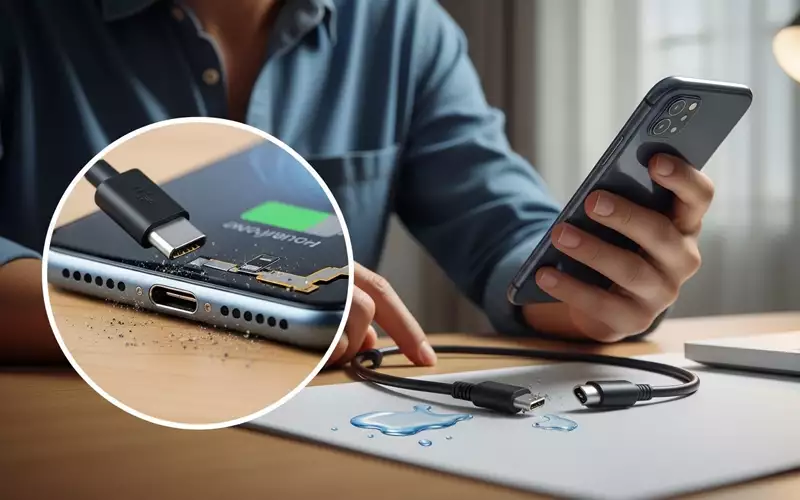
Phones are now an important part of our everyday lives. They keep us connected with friends and family, help us get work done, and provide entertainment whenever we need it. However, one of the most annoying issues we face is when our phone won’t charge. Many people often wonder, “Why is my phone not charging?” or search for “phone not charging even when plugged in.” In this article, we will go through all the main reasons your phone might stop charging and share simple, practical solutions. By the time you finish reading, you’ll have clear steps to fix this frustrating problem yourself.
Common Reasons Your Phone Is Not Charging
Your phone may stop charging for a variety of reasons. Figuring out what’s causing the problem is the key to solving it quickly. Let’s take a look at the most common reasons why this happens:
Faulty Charging Cable or Adapter
A very common but often ignored reason your phone won’t charge is a damaged cable or adapter. With regular use, charging cables can fray, bend, or simply wear out, while chargers themselves may fail because of power surges or everyday wear and tear. Many people ask, “why is my phone not charging,” and in most cases, the solution is as simple as swapping the cable or adapter for a new one.
If your phone charges properly with a different cable or charger, you’ve likely found the culprit. To prevent further issues, always use certified or original cables and chargers, especially for devices like iPhones or Samsung phones.
Dust and Debris in the Charging Port
Sometimes, the issue isn’t with your phone itself. Dust, lint, or debris can build up inside the charging port, stopping the cable from making a proper connection. This is one of the most common reasons people notice their “phone not charging when plugged in.”
To fix this, gently clean the charging port using a soft brush, a toothpick, or a can of compressed air. Be careful not to use any metal objects, as they can damage the port. Keeping the port clean regularly can help prevent this problem from occurring in the future.
Software Issues or Glitches
Software issues can also stop your phone from charging. At times, the operating system may freeze, or background apps might interfere with normal battery function. This is a common reason why many people search, “why is my phone not charging even when plugged in.”
Simply restarting your phone can often fix minor software glitches that prevent charging. In some cases, installing the latest software update can resolve charging issues, especially on devices like iPhones or Samsung phones.
Battery Problems
If your phone has been used for several years, the battery itself might be the problem. Over time, batteries naturally lose their ability to hold a charge. A phone that refuses to charge could need a battery replacement. Watch for signs such as rapid battery drain or unexpected shutdowns, even after fully charging.
For older devices, changing the battery is often a more affordable option than purchasing a new phone. Make sure to have the battery replaced at an authorized service center to guarantee safety and proper functioning.
Power Source Problems
Sometimes, the issue has nothing to do with your phone. A faulty wall socket or USB port can prevent your device from charging. Try connecting your phone to a different outlet or a computer’s USB port. Many people overlook this simple step and immediately assume their phone is damaged.
Additionally, steer clear of cheap or uncertified power banks, as they can deliver unstable power. This may cause your phone to charge very slowly or not charge at all.
Water Damage
Water or moisture can seriously affect your phone’s battery and charging system. If your device has been exposed to water recently, it may stop charging correctly. This is a common reason why people search for “phone not charging after water.”
If your phone has come into contact with water, switch it off right away and avoid plugging it in. Use silica gel packets or dry rice to help absorb the moisture, and take your device to a professional repair center. Trying to charge a wet phone can cause permanent damage to both the battery and the phone itself.
Using a Non-Compatible Charger
Not all chargers work the same way. Using a low-quality or incompatible charger can make your phone charge slowly—or not at all. This issue is especially common with iPhones and Samsung phones. Many people search for “why is my iPhone not charging” or “Samsung phone not charging” because they’re using a charger that isn’t designed for their device.
Always stick to the original charger or a certified replacement. Fast charging only works with compatible adapters, so using an incorrect charger can stop your phone from charging correctly.
How to Fix Phone Not Charging
Once you understand why your phone isn’t charging, solving the problem can be straightforward. Here are some easy and practical solutions to try:
Check and Replace Cables and Chargers
Begin by checking your charging cable and adapter for any visible damage. If you have an extra charger, test it on your phone. It’s important to use certified accessories, especially for iPhones and Samsung devices, to ensure proper charging.
Clean the Charging Port
If you see dust or debris inside your charging port, clean it gently. A soft brush or compressed air works well, but avoid using sharp metal objects that could harm the port. Keeping the port clean on a regular basis can help prevent charging problems.
Restart Your Phone
Sometimes, a simple restart can fix software problems. Turn off your phone, wait a few seconds, and then switch it back on. This often solves the “phone not charging even when plugged in” problem.
Update Software
Software updates often fix bugs that can affect charging. Make sure your phone’s operating system is updated. On iPhones, go to Settings > General > Software Update. For Android or Samsung devices, check Settings > Software Update to install the latest version.
Replace the Battery
If your phone is aging and the battery can’t hold a charge anymore, it might be time for a replacement. Always visit an authorized service center to ensure the battery is replaced safely and correctly.
Check Power Source
Test your phone with different wall outlets, USB ports, or power banks. Often, the issue is just a faulty socket or port. Make sure to avoid cheap or uncertified power sources, as they can harm your phone.
Avoid Water Exposure
If your phone has come into contact with water, avoid plugging it in to charge. Make sure it is completely dry first. If it still won’t charge, take it to a professional repair center, as water damage can permanently harm the charging components.
Tips to Prevent Future Charging Problems
It’s always easier to prevent charging issues than to fix them later. Follow these tips to keep your phone charging smoothly:
• Always use original or certified chargers and cables.
• Keep the charging port clean and free from dust and debris.
• Avoid overcharging—unplug your phone once it reaches 100%.
• Don’t use cheap or damaged power banks.
• Protect your phone from water and extreme temperatures.
• Regularly update your phone’s software to prevent glitches.
When to Seek Professional Help
If you’ve tried all the solutions above and your phone still won’t charge, it’s best to consult a professional. Authorized service centers can properly check the battery, charging port, and internal circuits. Attempting to fix complicated issues on your own may make the problem worse.
FAQ’s
- Why is my phone not charging even when plugged in?This problem often happens because of a faulty cable, charger, or dirty charging port. First, check your cable and adapter, and clean the charging port. If it still doesn’t charge, try updating the software or checking the battery.
- How can I fix my phone not charging?
You can often solve this problem by replacing the cable or charger, cleaning the charging port, restarting your phone, and updating the software. If your battery is old, it may need replacement. - Why is my phone not charging after water damage?
Water or moisture can damage your phone’s charging circuits. Turn off your phone immediately, dry it carefully, and take it to a professional repair center. Trying to charge it while wet can cause further damage. - Why is my iPhone not charging properly?
iPhone charging issues usually happen when the cable or adapter is not certified. Use the original Apple charger and keep the port clean. A software update can also fix the problem. - Why is my Samsung phone not charging?
Samsung phones may not charge due to a faulty cable, adapter, or software glitch. If your phone is old, the battery may be weak. Use a certified Samsung charger and try restarting your phone. - What should I do if my phone is charging slowly?
Slow charging is often caused by a low-quality cable, adapter, or background apps. Use a certified fast charger and close unnecessary apps. - Why does my phone stop charging at 80% or 90%?
Modern phones have battery protection features that prevent overcharging. This is normal and helps protect your battery from damage. - Can a faulty charging port prevent my phone from charging?
Yes, dirt, lint, or a loose port can stop your phone from charging. Clean the port carefully, or replace it if it’s damaged. - Is it safe to use any charger for my phone?
No, using non-certified chargers can damage your phone’s battery and charging circuits. Always use the original or a certified charger. - Why does my phone die even while plugged in?
This usually happens because of a faulty cable, adapter, or battery issue. Replace and test your cable and adapter. If the problem continues, the battery may need replacement.
Conclusion
Dealing with a phone that won’t charge can be very frustrating. Whether it’s due to a faulty cable, software glitches, water exposure, or an aging battery, most problems have simple solutions. By following the steps in this article, you can often fix the issue yourself or know when it’s time to seek professional help.
Remember, regular care—like using certified chargers, keeping your phone and charging port clean, and protecting it from water and dust—can prevent most charging problems. For additional tips on maintaining your phone, consult trusted tech websites and follow professional repair guidance.
Next time you ask, “Why is my phone not charging?” you’ll have the knowledge to troubleshoot it safely and effectively.





Add comment